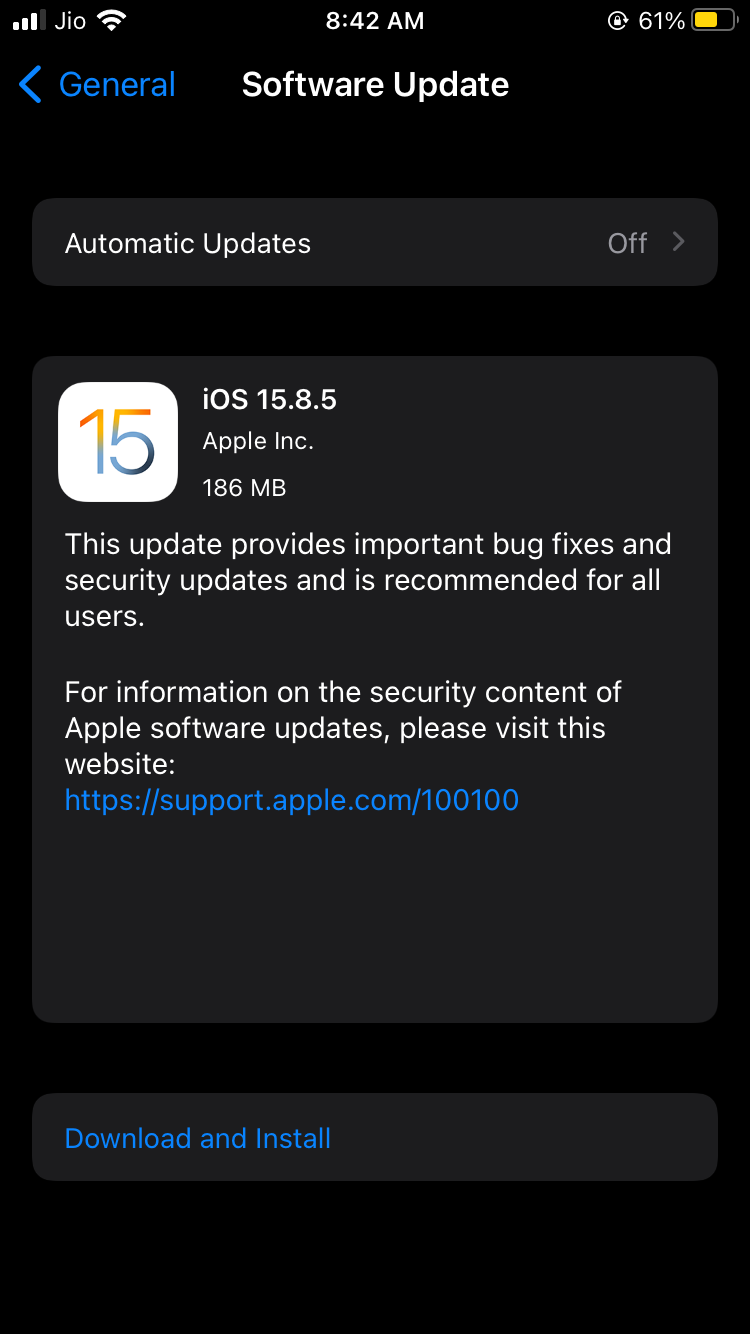
I suspect there are still a significant number of people around the world using these devices myself included. Only Apple knows the exact figure, but it must be high enough to warrant attention.
Supported Devices
This update is available for -
iPhone 6s (all models)
iPhone 7 (all models)
iPhone SE (1st generation)
iPad Air 2
iPad mini (4th generation)
iPod touch (7th generation)
Release Notes
Impact: Processing a malicious image file may result in memory corruption. Apple is aware of a report that this issue may have been exploited in an extremely sophisticated attack against specific targeted individuals.
Description: An out-of-bounds write issue was addressed with improved bounds checking.
It is the unfortunate reality that software bloat expands at a more rapid rate than hardware improvements.
Just a case of software developers getting lazy with the extra processing and not bothering to optimize.
To be fair, security upgrades on old devices without OS upgrade are still welcome as they are unlikely to impact device performance, apart from ones related to stopping the phone from exploding due to degraded battery.
Any new OS version from Apple is buggy and unoptimised. You have to wait until at least the .1 releases for stability.
I don’t think that this is true. The rapid hardware improvements has allowed software bloat to go unnoticed for newer devices as you have indicated here:
When iOS 26 was released, I upgraded one iPhone directly from iOS 17 to the last version of iOS 18. In practice, this means updating to iOS 26.x.x only once iOS 27 has been released.
Basically staying one year behind, None of your workflows will break if you do this.
I performed a clean install when jumping from iOS 17 to iOS 18. Since the phone is always set to Low Power Mode 24x7, It is never using the full CPU performance, due to this I was able spot few things.
With the same setup on iOS 18, I did notice very very slight hiccup in certain situations. It’s subtle, very hard to capture and not always consistent, but it’s there I can feel it.
This reinforces the common observation that older iPhones tend to feel slower after each major iOS release, which coincides with the launch of new iPhones.
Maybe these major updates keep latest device as a standard for optimization and older devices have to keep up with that, with their slightly slower processors.
However…
Over the years, I have also noticed that Apple often smooths out major performance issues in subsequent updates.
Yeah, iOS26 is a bit too childish in its current form and I absolutely hate the extra clicks I have to do for everything, with the Safari experience being by far the worst.
Have to downgrade to 18 this weekend while the window is still open.
Well, it was quite a lot of time wasted yesterday trying to downgrade to 18.6.2. It has been quite some time since I downgraded and I hadn’t taken a backup on iOS 18 when I upgraded to 26 on the device when it was released.
Restoring a 26 backup is not possible on 18, so the best you can do is restore for individual apps using iCloud.
When doing so, I found that both my Authenticator apps failed to do a restore, so I lost all my 2FA codes. I have email setup for nearly all of them, so can recover most of them.
Worst was Bitwarden though, as I didn’t have the 2FA or recovery code and hadn’t setup email codes for it. Luckily, I was still logged in on my laptop, so was able to export the vault and import it in a new account.
Simply a nightmare to mess with OS versions now. So grin and bear it shall be.
Newest updates being buggy is not limited to iOS. Although samsung promises multiple years of updates in their leading devices, I’ve found the new updates to be more problematic than useful. I’m still on oneUI v6.1 (and happy) even though my s23 has been getting prompts everyday to go to v7. Worse battery life, worse camera… I like to stay behind 6-12 months so that all bugs are ironed out.
Yes, it is true for all platforms, even more so for Windows. Just need to be at least 2-3 months behind on the release cycle. The OSes are so mature enough now that any new feature drop is not worth being an early adopter for.