Any idea/hardware to connect 4-5 systems to a single monitor (if possible operating all the systems with a single keyboard and mouse)? I know KVM switches. But the models I found online are mostly for just 2 systems. Anything for more than 4-5 systems?
There is a software based solution using NDI and input director.
So no need for any kind of hardware? I dont want to connect the systems to the internet…What kind of networking hardware should i procure?
how to remove login to a system without a monitor 
it will have to be pre configured and you will have to add couple of startup entries in task scheduler.
Edit : You cant add password in the above scenario.
Are you speaking English…Just kidding :):). Then I have to research a lot about this. Can you quote some exact terms for this workflow, so that I can google them and study.
If physical hardwire connedtion is not needed, Remote Desktop of Windows is sufficient for this thing.
I had one system (server) on wired ethernet near my router that I used to access from any of my other systems with Remote Desktop. Even the Android app of Remote Desktop from Microsoft works wonders for this.
1 Like
I want to have the system in lan as I may need to trasnfer some big files over the network. as of now I don’t have extra monitor for the system so was thinking on how to connect with it. I am not great with networking stuff. can you point me to some resource ???
When i re-read it, it seems full of jargons.
Download the following freewares.
https://www.ndi.tv/tools/#download-tools
https://www.inputdirector.com/
You will need a network Switch.
You will need to create a new task for ndi screen capture in task scheduler which will need to start everytime the pc starts…Follow the link
NDI screen capture is way to see the connected pcs windows without using capture cards.
I use it regularly for my online shows.
Attachments:
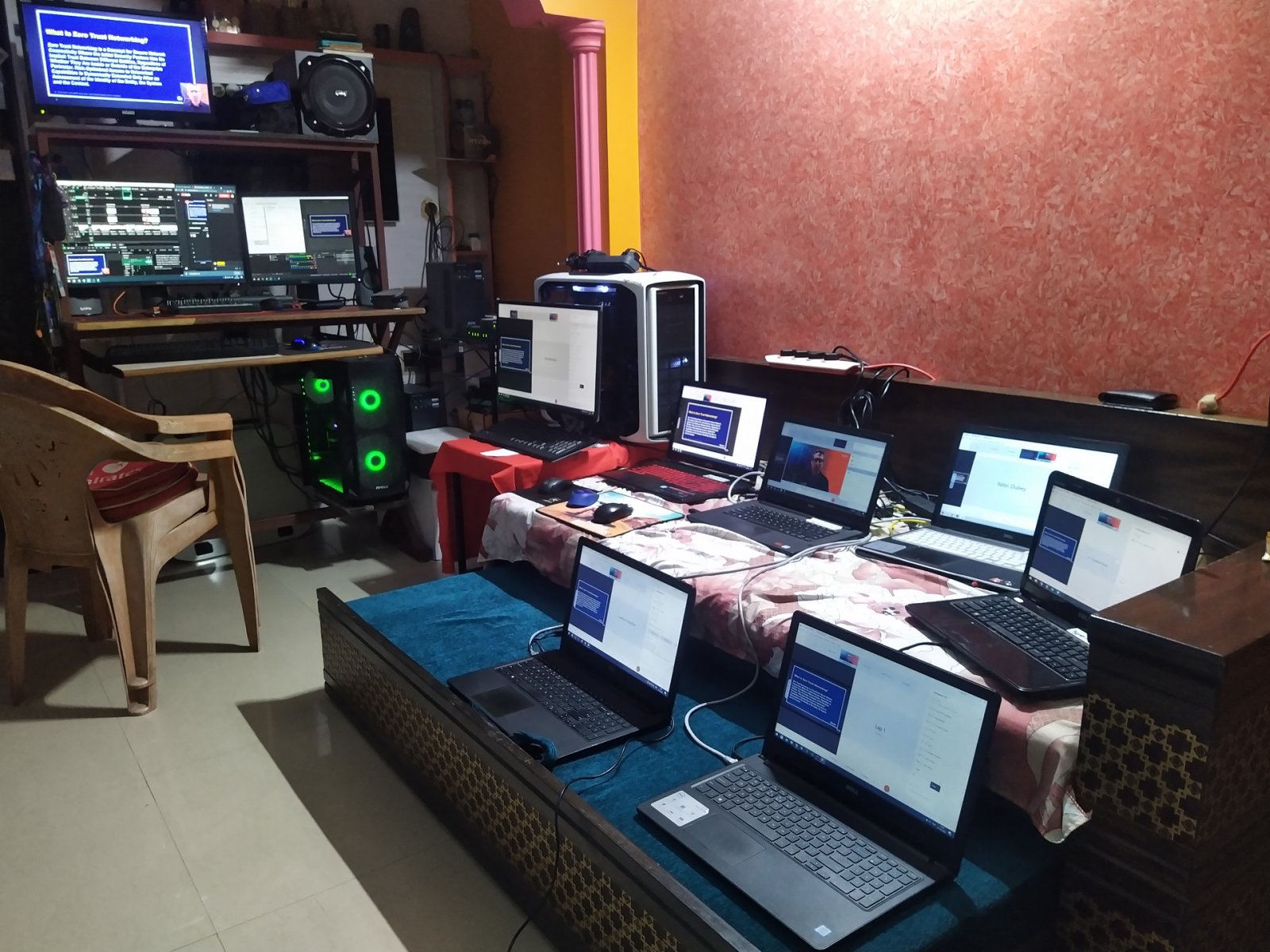
But this workflow wont allow you to have a single set of mouse and keyboard for the multiple systems right?
Hahahaa…Yes i speak a lot…type a lot…  …But with bad English…
Thanks..I will try this method.
Online Shows ???
I don’t mine how it works with anydesk or vmwares. but it should work on lan as sometimes powercut makes the internet go down.
It does not need internet, works on local lan.
No you can use a single set of Keybaord and mouse.
You can get started with something like Anydesk or team viewer. Easier to get started with. They support connections over the local network, you have to enable it in settings.
In this setup, you won’t need to share your keyboard mouse as you will be doing everything on one system.
From control and Ux perspective, Windows Remote Desktop gives the best experience, so try that as a second step (assuming all are Windows machines).
If you still do need to share your keyboard mouse, you can look at this software https://www.sharemouse.com/
2 Likes
You can also try SpaceDesk - basically Remote Desktop but restricted to local wifi/Lan only.
Thanks for all your suggestions. I will try the above said methods and I will pick the best one for me.