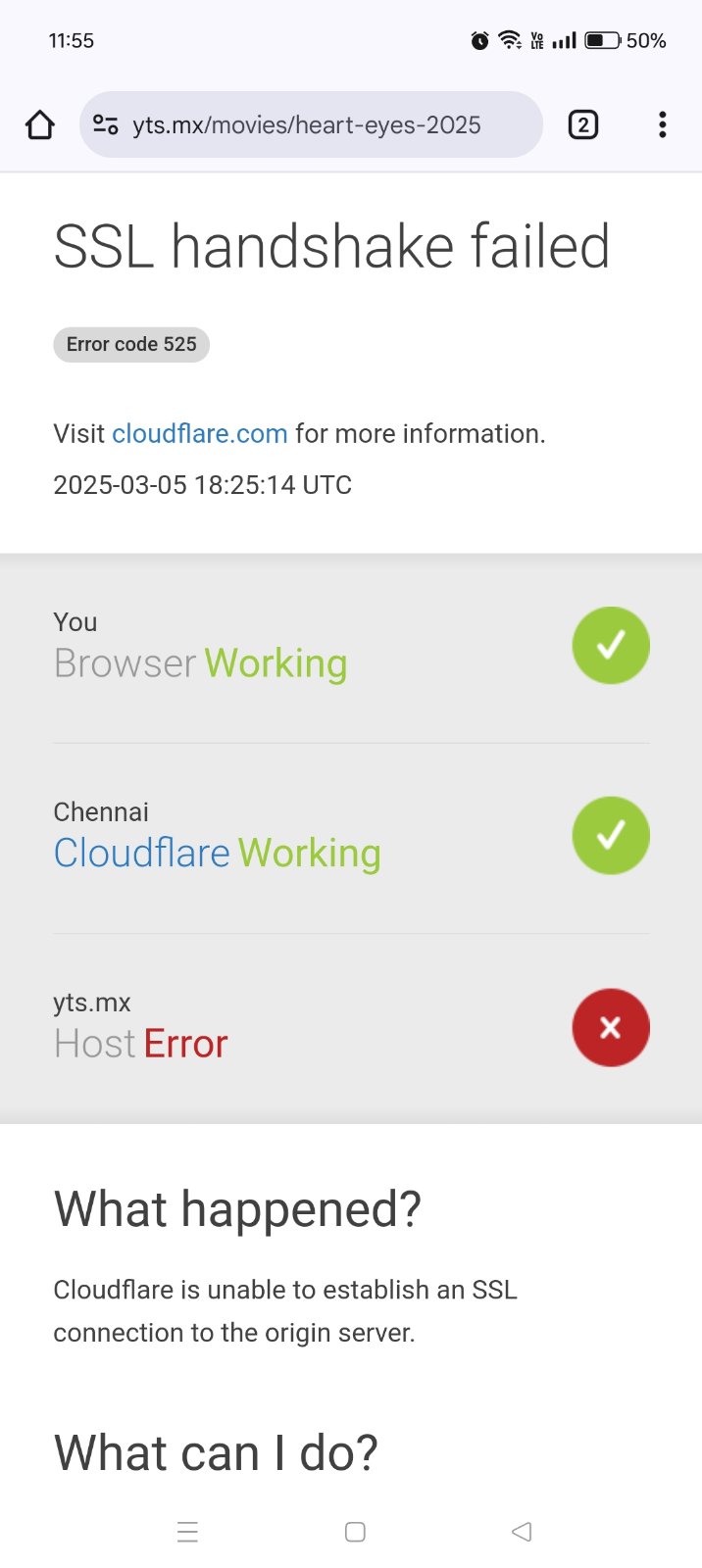
I am getting SSL Handshake failed error while browsing in phone. I mean only when browsing torrent sites. I am using Chrome browser in my android phone. My phone is Android 14 version. How to resolve it?
Check the below screenshot for the error message I am getting. Thanks.
I don’t know what a pi hole is actually.
I am using NETLINK GPON ONT 2GE+1POTS+ac WIFI (HG323DAC) router on BSNL FTTH. When I am trying to login to router to change DNS it’s not allowing me at all. So stopped trying it.
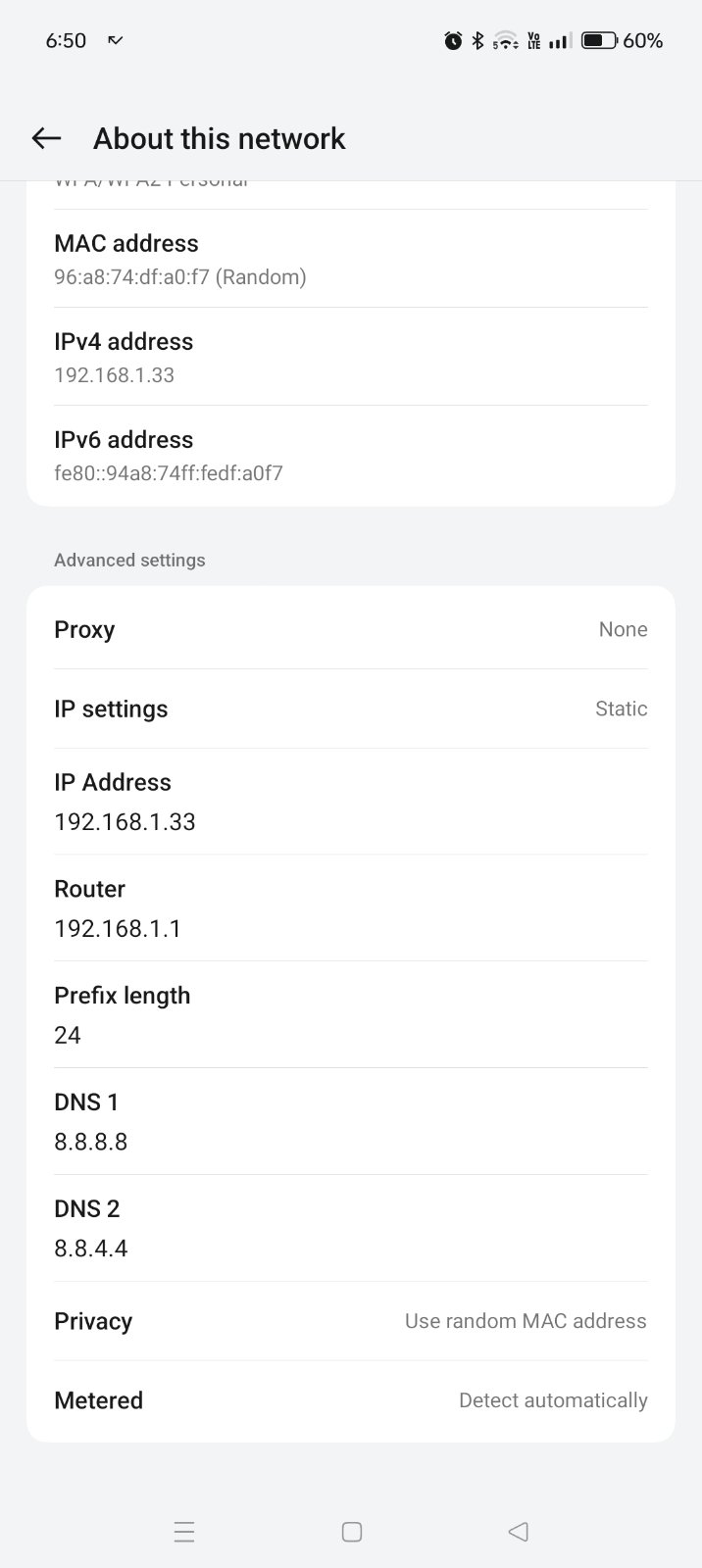
I just using Cloudfare dns in my PC and google dns in my android phone.
While using Cloudfare or Google dns in PC any site opens without any problem but while in phone it gives above error even for 1337x.to also.
No, but when I use any VPN then I can browse any torrent site or else no. It was giving the same SSL Handshake failed error. Why is this so?
I also changed the DNS from cloufare to google dns for both my PC & Android Phone.
@@bssunilreddy did you try private DNS setting first? in private DNS setting provide cloudflare DNS hostnames (not the IP number like 1.1.1.1) its some hostname like See
(expand the sections you want to set the hostname like [ICODE]one.one.one.one[/ICODE])
I’m not sure about this. Please take it with a grain of salt. I think it’s a server issue more than client issue in this case.
It says unable to establish SSL connection with origin server. Means that CloudFlare was not able to establish trusted SSL with the site you’re visiting.
Looking at the fact that you’re able to connect using VPN, this’s my assumption: your nearest CloudFlare location is Chennai. And that CF server would be using an Indian ISP who has blacklisted torrent sites. So the problem exists in CF and ISP.
Why does it work with VPN? Because your VPN server’s nearest CF server would be using a different ISP who doesn’t restrict access to torrent sites.
Not here in “about this network” go one level up and look for “Private DNS” option, there is OFF, AUTO and Manual, manual is where you enter the hostname of cloudflare DNS like one.one.one.one or if it supports just the IP like 1.1.1.1 or 8.8.8.8