I have adguardhome on my raspberry pi 4B. All my ipv4 traffic is going through adguardhome and i want the same for ipv6 to go through adguardhome as well. So, I want to set ipv6 of raspberry pi 4B static. Please help me out. I am unable to do static ipv6 for the raspberry pi 4b.
Hello!!
Here are a couple options i could think of-
1- Simply disable ipv6 altogether (seriously!, likely without any problems for now, and years. Adguard works great over ipv4)
And disable ipv6 in router settings
2- Fix it Felix! (troubleshoot)
on the pi, run
nmcli -f ipv6.dhcp-duid connection show “Wired connection 1”
if fails/empty, try
sudo dhcpcd -U eth0 | grep dhcp6_client_id
copy DUID value
If not supported by the router control panel as a valid input or doesnt work, replace it with mac address.
Next, run
ip -6 addr show eth0 scope link
will show pi’s current local ipv6 address
Copy address starting with fe80::.
Router control panel-
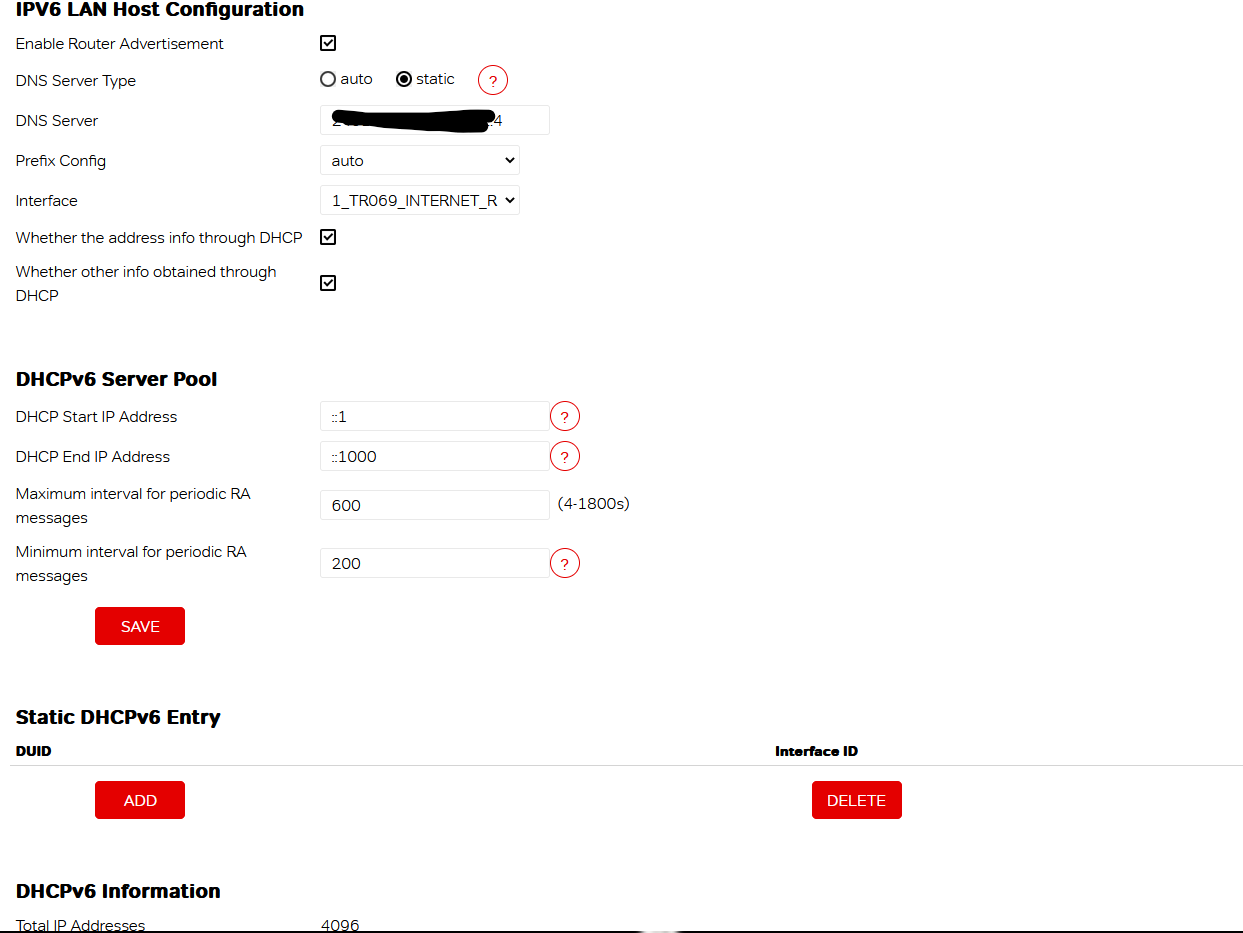
1- Navigate to LAN → IPv6/DHCPv6 Server in router control panel
Static Entry section- Add DUID/MAC, set suffix to ::53.
2- Navigate to DNS (ipv6)
Paste fe80::... address
3- Reboot both
Might do it