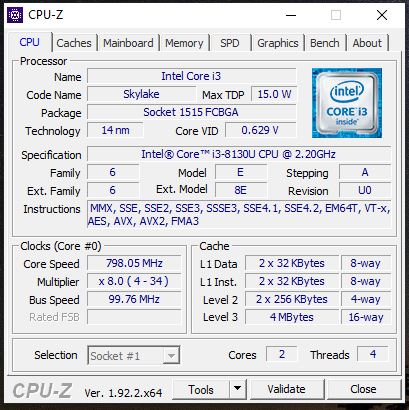
Intl Core i3 - 8130 Processor
1 TB HDD
1 WD 500 GB SSD installed in m.2 slot
Windows 10 installed on WD m.2 slot SSD
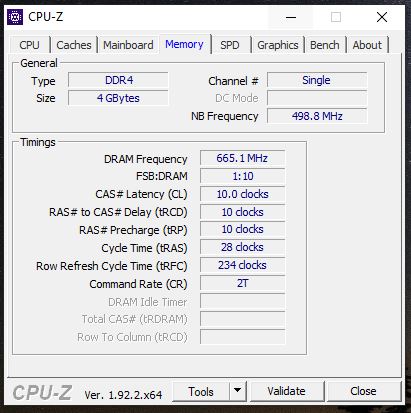
4 GB DDR4 RAM Already soldered by manufacturer, one Slot it empty, as per Lenovo the laptop supports maximum 12 GB RAM
Now i want to add more RAM, so i only have empty slot so my question is
How much should i add 4 GB or 8 GB ?
if I use 8 GB will i loose Dual Channle mode , is it right ?
is it ok to put another 8 GB with current 4 GB and make it 12 GB, but i think i will loose dual channle support,
But i heard that there is a intel technology as Flex Mode Ram, where, half of 8 GB will run in dual channle and other remaining of that 8 gb will run single channle
[automerge]1594906149[/automerge]
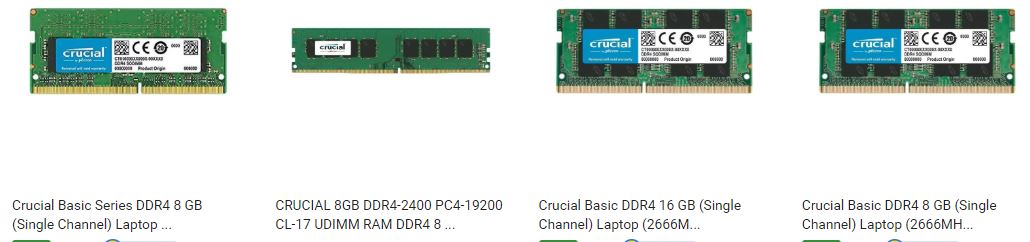
also on many of the site the RAM description showing as Single Channle, what does that mean, will it only work with Single Channle or dual channle see image
i read that intel has this technology as Flex mode RAM, where two different size ram can work in dual channle mode, i mean 4GB + 8 GB, so 4 gb of that 8gb will work in dual channle with other 4gb stick and remaining half of that ram will work on single channle
but i am very new to this type of information
please help
and why online site showing the RAM as single channle
can you please which processor you using, and what is the model of 4gb and 8gb ram stick, i want to be sure before i order anythign
[automerge]1594985553[/automerge]
how much did 8gb stick cost you
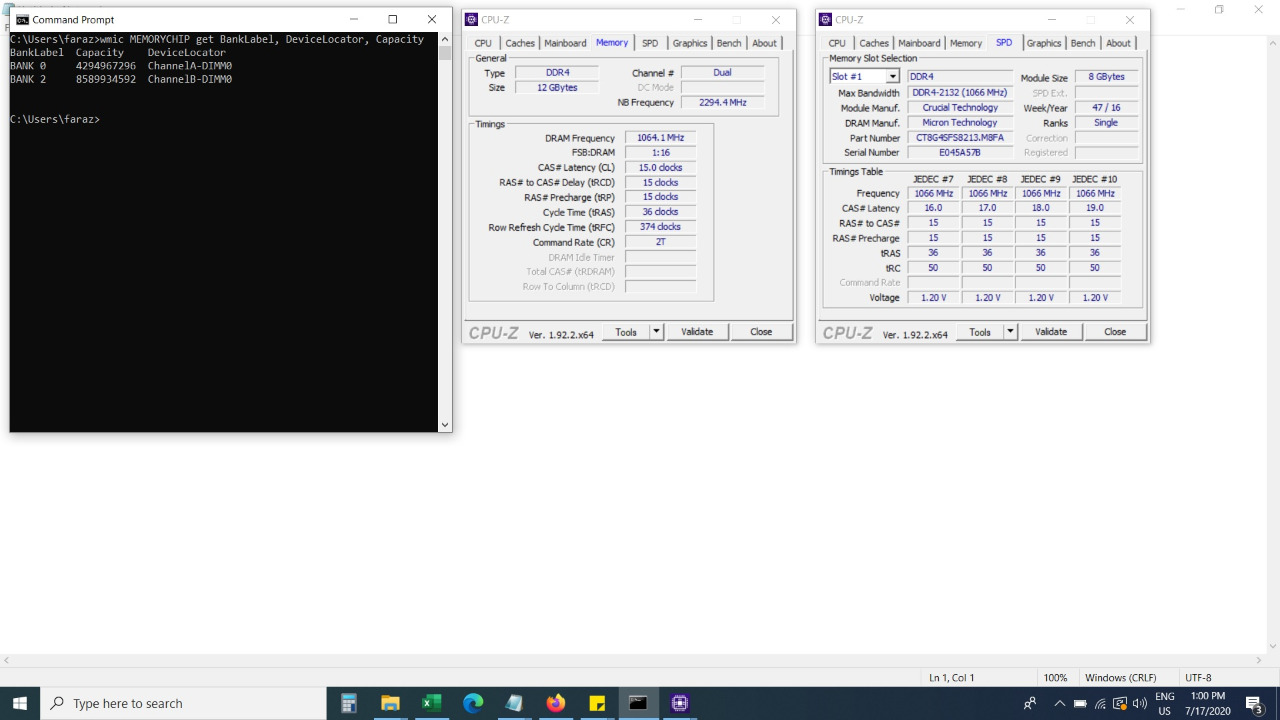
run the following command in command prompt (as administrator) check the manufacturer and part number of the installed RAM Model:
wmic memorychip get devicelocator, manufacturer, partnumber
I will suggest go with the same manufacturer as per already installed memory.
Although I have very few posts here so i don’t know if you will take my opinion seriously.
I would recommend you go with the 8GB or 16GB of any brand n stock 2400 frequency.
This dual channel/quad channel stuff is for high end Desktops or gaming laptops who want to see high end theoretical numbers.
You have a Ci3 and lenovo V130 which is a commercial laptop built for reliability.
Dual/Quad channel in real world has no impact on low end systems especially in daily routine.
the main thing i search is part number which i guess the samsung manufactured only for laptop and only to companies,
if adding 8gb will work fine and i will not loose dual channle or something i will go with 8 Gb 2400 mhz stick, and i guess the system it self adjusts to the lowest ram stick
Normal apps and some old FPS, RPG, RTS games like fallout 3, Skyrim all on low setting is payable.
[automerge]1595008605[/automerge]
Also does it void warranty if we upgrade SSD and RAM ourself
Just add any 8GB, it will run in dual channel mode. Avoid 4GB unless you are getting them cheap (I got a used 4GB for 1K for an office collegue)
If you want me to verify, we have the V130 and V14s in office - I can get them checked this week, and if needed with a 16GB Crucial as well, bringing the total RAM to a cool 20GB.
As for warranty - officially, yes it will void the warranty, but the Lenovo ASSC engineer assured me that they wont bother with it.
If you can check 8 gb and 16 gb one after one and post both cpuz and your experience that will be great.. before I can order..
Also.. I emailed Lenovo about if user can upgrade ram and SSD they in very clear language n and they asked me to raise ticket… I don’t know why.. also they changed design a lot.. so changing keyboard required disassembly of while laptop and entire back cover is now one single piece..
Anyway thanks for all this effort .I will await your reply.
Also anyone from Lenovo here who can clarify about warranty or charges if upgraded by Lenovo