Via usb to sata adaptor
Even if the SSD works fine on PC, and doesn’t on the RPi, the USB-to-SATA adapter can still be a problem.
Some adapters do not fully support UAS (USB Attached SCSI), causing random disconnects.
According to Raspberry Pi here
UAS is wonderful, until you come across UAS devices that don’t fully implement the UAS specification. Typically, these devices will just stop responding when issued UAS commands that they don’t like, or may in rare cases throw write data away which can cause filesystem corruption.
Before buying a better SATA-to-USB adapter, I would disable UAS for the SSD drive in the OS and see if that solves the problem.
So you’re suggesting this to be done in pi os right?
Yes.
AI Instructions
Steps to Disable UAS for Your USB SSD
1. Identify your USB device’s VID:PID
Run:
lsusbFind the line corresponding to your SSD enclosure, e.g.:
Bus 002 Device 002: ID 174c:55aa ASMedia Technology Inc. ASM1051E SATA BridgeFrom this example:
- VID =
174c- PID =
55aa
2. Edit
cmdline.txtOpen the file:
sudo nano /boot/cmdline.txt
Important: This file must stay one single line of text.
At the end of that single line, add:
usb-storage.quirks=VID:PID:uExample for VID:PID =
174c:55aa:usb-storage.quirks=174c:55aa:uSave and exit:
- Ctrl + O, Enter
- Ctrl + X
3. Reboot
sudo reboot
4. Verify UAS is disabled
After reboot:
dmesg | grep -i usbYou should NOT see the SSD using the
uasdriver.You should instead see it using
usb-storage.Or check loaded drivers:
lsmod | grep uasIf UAS is disabled for your device, it will not show your SSD under UAS.
Man I can’t even see the ssd under lsblk or lsusb. Logs showing i/o error.

RPi4 has compatibility problems with various USB to SATA adapters. You have to try your luck with different ones.
You’ll need official adapter,
I had similar issue with pi5, it couldnt power an external usb hdd without official adapter.
pi needs higher amps, tht most of the regular usb c adapters dont provide
He has the official adapter.
We thought power requirement is the issue here, but it’s much more than that.
2 Likes
Dang. Get USB VID PID and force a storage quirk to force BOT mode ie Bulk Only Transport.
Share the IO logs whatever you are getting. Will help.
- Ok so i shut down the pi, disconnected the SSD from the USB and turned it on again
Then I connected the SSD and this is what appears.
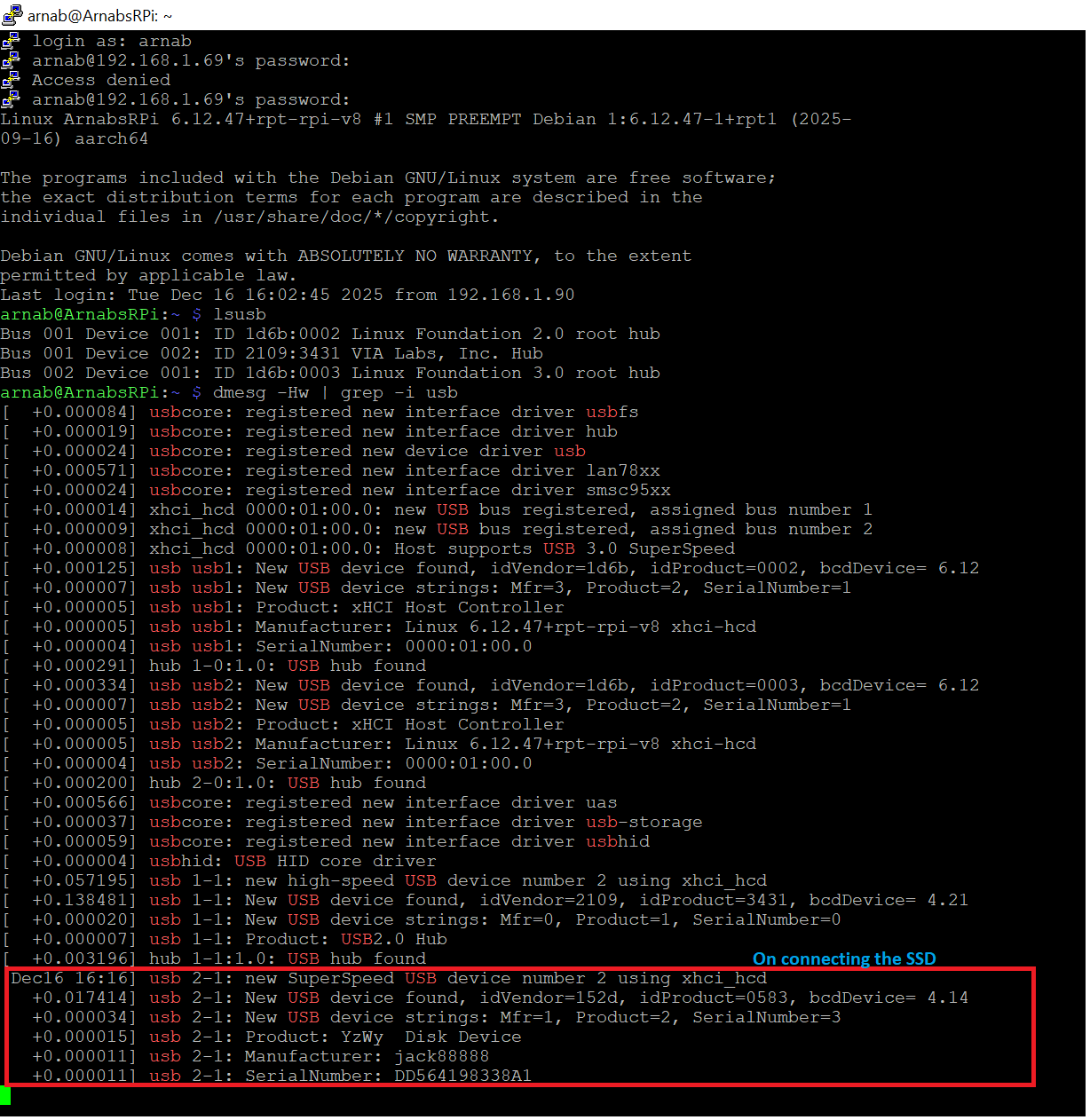
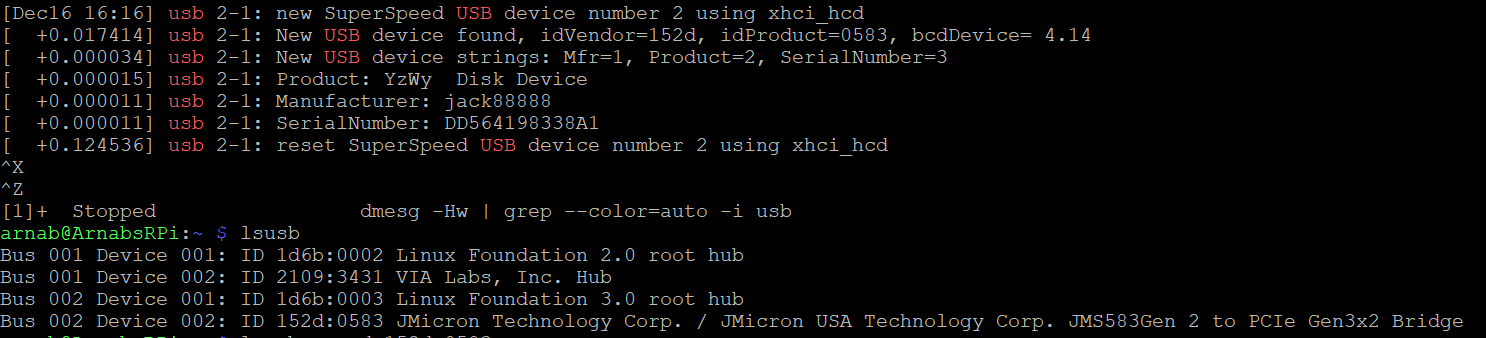
- i could get the USB VID PID and edited the config file to force Bulk Only Transport

a. Specific USB details
device specific lsusb command output
arnab@ArnabsRPi:~ $ lsusb -v -d 152d:0583
Bus 002 Device 002: ID 152d:0583 JMicron Technology Corp. / JMicron USA Technology Corp. JMS583Gen 2 to PCIe Gen3x2 Bridge
Couldn’t open device, some information will be missing
Negotiated speed: SuperSpeed (5Gbps)
Device Descriptor:
bLength 18
bDescriptorType 1
bcdUSB 3.00
bDeviceClass 0 [unknown]
bDeviceSubClass 0 [unknown]
bDeviceProtocol 0
bMaxPacketSize0 9
idVendor 0x152d JMicron Technology Corp. / JMicron USA Technology Corp.
idProduct 0x0583 JMS583Gen 2 to PCIe Gen3x2 Bridge
bcdDevice 4.14
iManufacturer 1 jack88888
iProduct 2 YzWy Disk Device
iSerial 3 DD564198338A1
bNumConfigurations 1
Configuration Descriptor:
bLength 9
bDescriptorType 2
wTotalLength 0x0079
bNumInterfaces 1
bConfigurationValue 1
iConfiguration 0
bmAttributes 0x80
(Bus Powered)
MaxPower 896mA
Interface Descriptor:
bLength 9
bDescriptorType 4
bInterfaceNumber 0
bAlternateSetting 0
bNumEndpoints 2
bInterfaceClass 8 Mass Storage
bInterfaceSubClass 6 SCSI
bInterfaceProtocol 80 Bulk-Only
iInterface 0
Endpoint Descriptor:
bLength 7
bDescriptorType 5
bEndpointAddress 0x81 EP 1 IN
bmAttributes 2
Transfer Type Bulk
Synch Type None
Usage Type Data
wMaxPacketSize 0x0400 1x 1024 bytes
bInterval 0
bMaxBurst 15
Endpoint Descriptor:
bLength 7
bDescriptorType 5
bEndpointAddress 0x02 EP 2 OUT
bmAttributes 2
Transfer Type Bulk
Synch Type None
Usage Type Data
wMaxPacketSize 0x0400 1x 1024 bytes
bInterval 0
bMaxBurst 15
Interface Descriptor:
bLength 9
bDescriptorType 4
bInterfaceNumber 0
bAlternateSetting 1
bNumEndpoints 4
bInterfaceClass 8 Mass Storage
bInterfaceSubClass 6 SCSI
bInterfaceProtocol 98
iInterface 0
Endpoint Descriptor:
bLength 7
bDescriptorType 5
bEndpointAddress 0x01 EP 1 OUT
bmAttributes 2
Transfer Type Bulk
Synch Type None
Usage Type Data
wMaxPacketSize 0x0400 1x 1024 bytes
bInterval 0
bMaxBurst 0
Command pipe (0x01)
Endpoint Descriptor:
bLength 7
bDescriptorType 5
bEndpointAddress 0x82 EP 2 IN
bmAttributes 2
Transfer Type Bulk
Synch Type None
Usage Type Data
wMaxPacketSize 0x0400 1x 1024 bytes
bInterval 0
bMaxBurst 0
MaxStreams 32
Status pipe (0x02)
Endpoint Descriptor:
bLength 7
bDescriptorType 5
bEndpointAddress 0x83 EP 3 IN
bmAttributes 2
Transfer Type Bulk
Synch Type None
Usage Type Data
wMaxPacketSize 0x0400 1x 1024 bytes
bInterval 0
bMaxBurst 14
MaxStreams 32
Data-in pipe (0x03)
Endpoint Descriptor:
bLength 7
bDescriptorType 5
bEndpointAddress 0x04 EP 4 OUT
bmAttributes 2
Transfer Type Bulk
Synch Type None
Usage Type Data
wMaxPacketSize 0x0400 1x 1024 bytes
bInterval 0
bMaxBurst 7
MaxStreams 32
Data-out pipe (0x04)
- rebooted the pi but after it restarts, the usb is again lost (the config file has retained the new edited part)
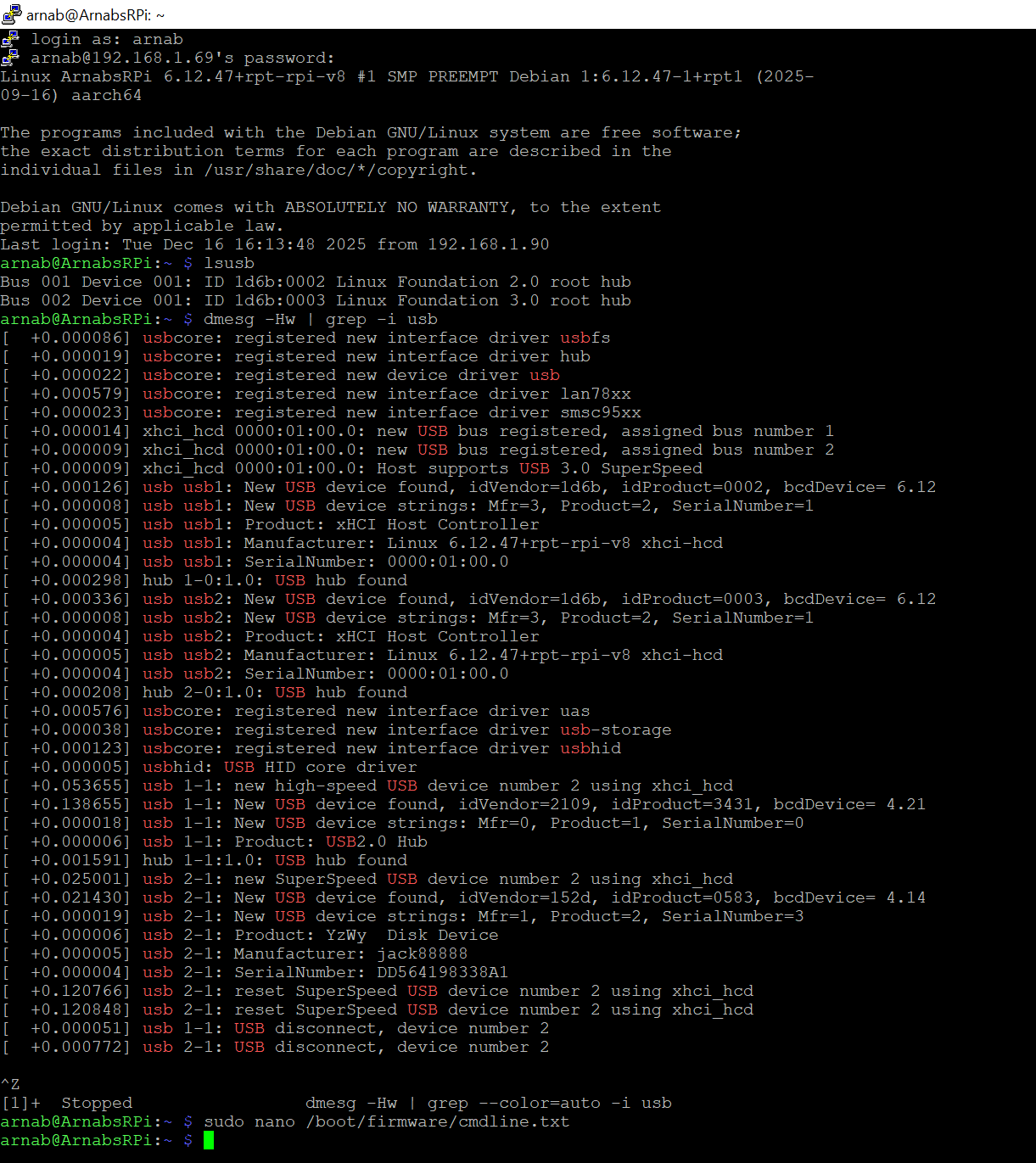
on reboot, could not find any specific i/o error (or maybe i am not reading it properly?)
journal command output (output was too big to be pasted here)
so.. guys.. any ideas?
or should i just randomly check adapters?
any one got any suggestions? cant keep buying and testing… 
In this case it seems this is the only option. 