Having goflex home which i got from @varkey still no put into use as i dont had time to clearly complete the setup.
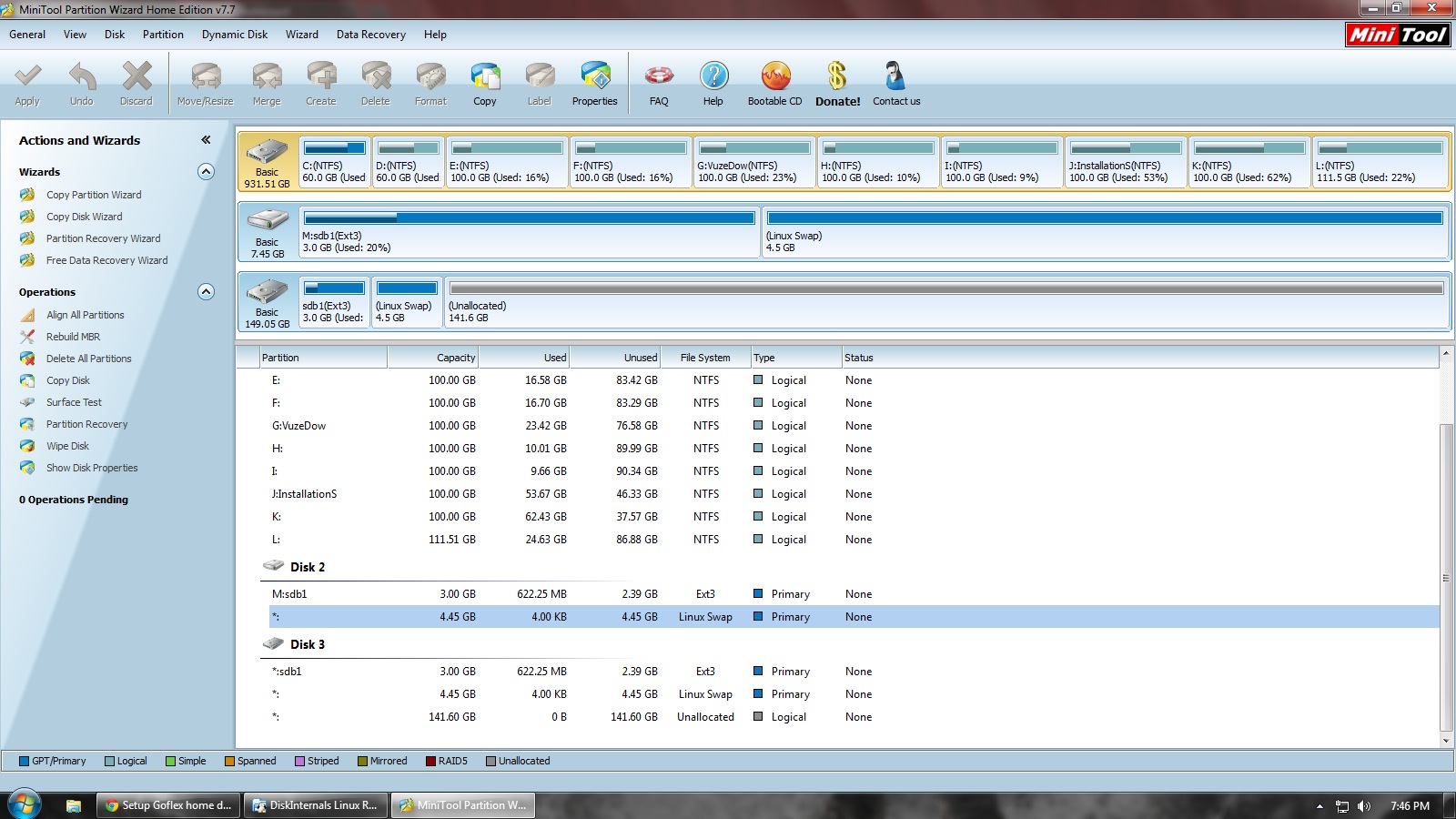
Now, after following his instruction i did created boot file of space 3Gb and linux swap partiion of 4.5Gb of the 8Gb pen drive.
Now the problem is i cant intstall any HDD even its in NTFS or EXT3 formats and the download starts only if i select the pendrive as directory.
All i have is,
1.Asus RT-N13U Router
2.Goflex Home(base)
3.Goflex 2Tb HDD
4.Bootable Pendrive
Now, how to setup the download box (im a complete n00b when it comes to linux or code blah blah).
And how to setup a constant DHCP address to connect with the setup.
Please provide with clear instruction.
calling @varkey
Thanks for the help.
if im using only the pendrive alone, it works and i can access the download directory and the transmission web access.
btw, i have go and look up on the routers DHCP address for the new address and then it works.
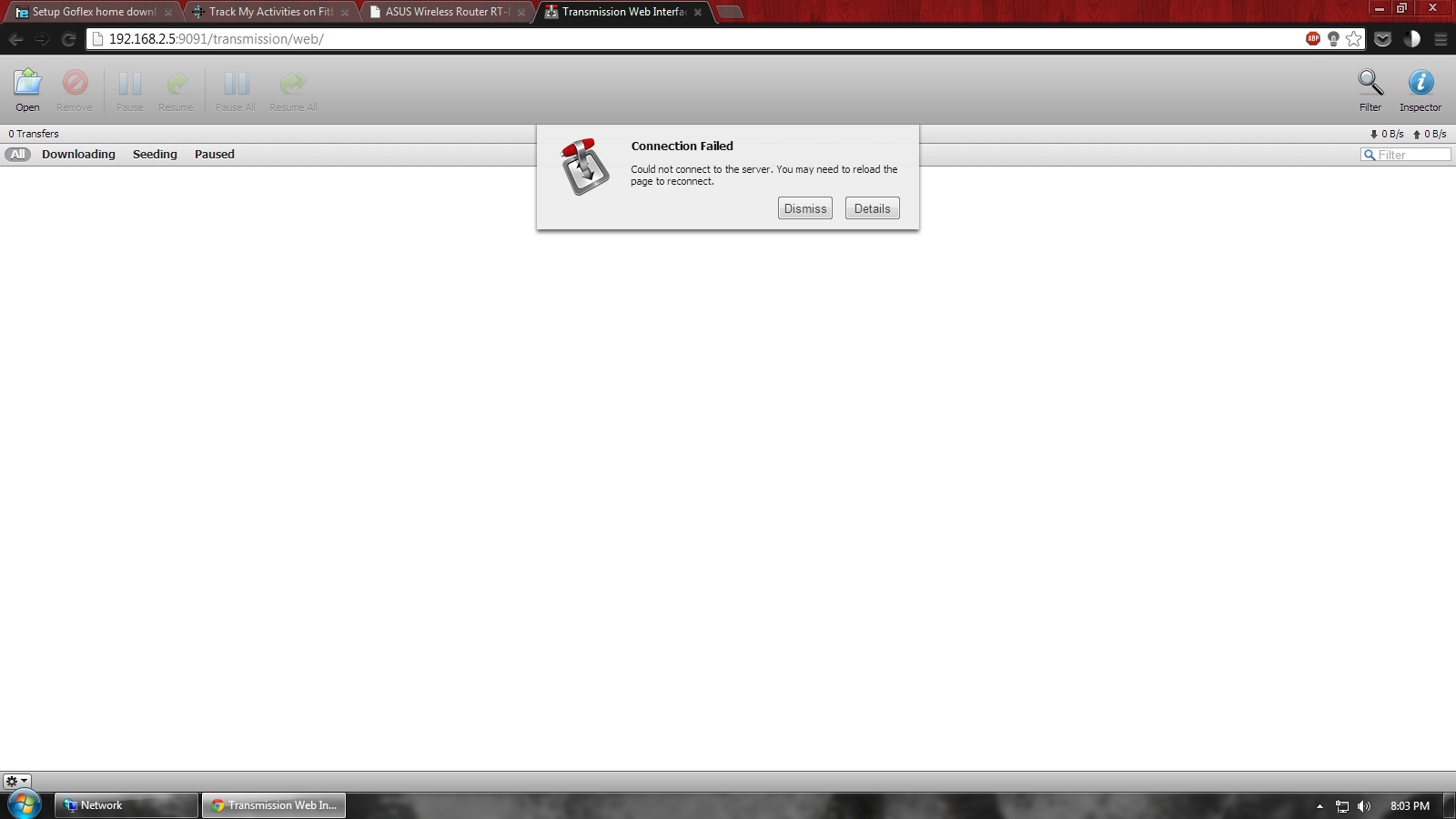
if i insert the HDD whereas in NTFS or ext3, the transmission web dosent work and download directory gives error.
so, using the below minitool, i just copied the content to another spare HDD to test whether it works or not. and still it dosent work with or without the pendrive connected. @varkey
So you are saying in the above scenario, the device boots, the transmission web UI opens and you are able to manage/download torrents. Correct?
Just setup DHCP reservation or static DHCP entry depending on your router, based on the GoFlex’s MAC. Or assign a static IP in Debian itself. You will easily get a how-to guide if you search.
You mean to say if you have two disks ie one disk for downloads and the other one is the OS drive, connected simultaneously it fails to boot? Or it boots fine, transmission UI opens, but gives a download error? Which one is it? Please be more specific and provide screenshots if you are not able to explain it.
If its the first case, this should resolve it – Need help fixing my GoFlex Home
Please read and modify the commands as necessary, don’t blindly execute commands.
yes, it work only with the usb(os) drive connected. as you see its only a 3gb partition, i cant use to downloads anything.
if hdd connected, nothing works.
Fails to boot? i dont understand.
did you saw the last screenshot?
sorry, i cant find clear tutorial for this.
Its so confusing with linux as where to start or tinker
Can i only use the HDD alone to download. i can start from the scratch. Please give step by step instruction to finish in one go.
rowning:actually, im hating linux or whatever now.
cant understand the way it used to be or i dont have enough time to understand the language with my schedules.
anyway brother, thanks for the help.
will sell it ASAP.
Having goflex home was bought from @varkey still no put into use. The initial setup was done by @varkey and my friend had helped me then to understand the instructions and complete the setup.
The instruction was to create boot file of space 3Gb and linux swap partition of 4.5Gb of the 8Gb pen drive.
Now the problem is i am not able to remember how the setup was done.
Now, how to setup the download box (im a complete n00b when it comes to linux or code.
And how to setup the transmission client and NAS?
Can anyone help me to get the setup done. I have with me the Goflex Home dock, a 2tb hdd
calling @varkey or anyone who can guide me a bit
Thanks for the help.
i too see it whenever i shake the dust off of my GFH to put it back to use. have to do that once again.
would suggest you to register yourself there. Bodhi is a very good guide!
It seems that your box is already installed with Debian with a pendrive.
If yes plug the LAN cable and boot it up, find the IP of the box from the router setup page.
Install Putty, connect to the IP address of your goflex, use userid root and password root (unless you changed it) you should be able to login. if you can login install transmission remote in your pc and try to connect to your goflex.
it sure looks overwhelming, but don’t go by that illusion. disregard the heaviness of the content. ignore what’s written in subsequent lines/posts; simply follow one line, one step at a time from the starting. you would’ve set up your GFH in no time then! and learnt a lot in the way.
from the OP of that same thread:
so if he can, then you could too.
for a start, download ubuntu and VMWare to your PC.
If you want to start fresh:
Download ubuntu live cd, burn into a dvd and boot into linux.
install gparted, create a 3gb ext3 partition (flag boot, label rootfs) and a 4gb SWAP partition in a 8 gb pendrive. Download the debian 3.16 rootfs from here and follow the instructions posted there.
Plug into your goflex and you should be able to boot into debian.
After that do a apt-get update, install transmission (search for it). There is also a dockstar thread in TE which describes the steps for installing Transsmission and editing the json file.
You will need to read a bit about linux commands and package installation procedure.
If you fail to understand open a thread in the doozan forum and ask for help. Bodhi is a excellent guide.
Thanks for instructions. I did the above. got the ip address of the device as well. But I am unable to connect to it using putty. When I put the ip address in putty, it says connection refused. I also tried putting the ip address to see if I could et into transmission web but unable to do so…
Any advice?
Post merged on Oct 19, 2015
I am also ready to pay if someone is willing to do it for me. All I have is below and all i want is to setup a download box and also want to access the hard disk remotely to access the contents…
^try shutting down the iptables service. “service iptables stop” should stop the iptables. if that works, then you will have to configure the iptables to open 22 port.


 rowning:actually, im hating linux or whatever now.


