How to Uninstall Windows Messenger from Windows XP
Step 1:
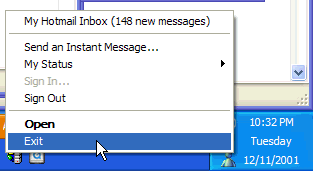
Shut-down Messenger if it is running.
Step 2:
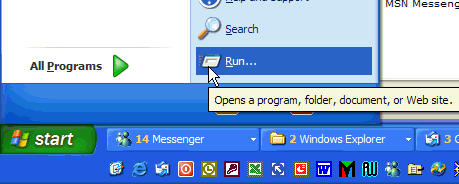
Click the Start button, then click Run.
Step 3:
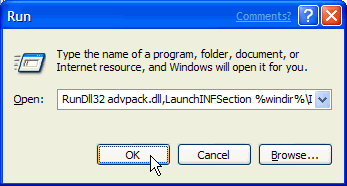
Type:“RunDll32 advpack.dll,LaunchINFSection %windir%\INF\msmsgs.inf,BLC.Remove” and press OK.
Source