Unusual system freezing issue, abrupt behaviour yet no logical reason

This issue occurred before last week.

Fired up my rig just like any other usual day. System booted into the OS, logged in to my account. Everything loaded, fired up Firefox, it was loading all earlier 8-12 tabs and system froze.

Restarted the system and it refused to post any display.

Kept rebooting a few times at the gap of 1-2 min but the same result.

Powered off mains directly. Powered on after 5 mins, system posted, booted back in the os, same process, fired FF and this time i closed all the tabs and cleared FF full history/cache, exited FF.

All good. All other apps and the usual OS functionality good. Analyzed the event viewer through the times I recorded when the system froze, it didn’t showed any abnormalities/events except for “The system has rebooted without cleanly shutting down first”

Fired FF again, system froze within 1-2mins.

Rebooted and this time the scenario was weird.

The Asus ROG logo on the mobo didn’t lit at all but cpu cooler, rams leds and leds stripes etc. all argb stuff working fine.This shouldn’t have happened at all.
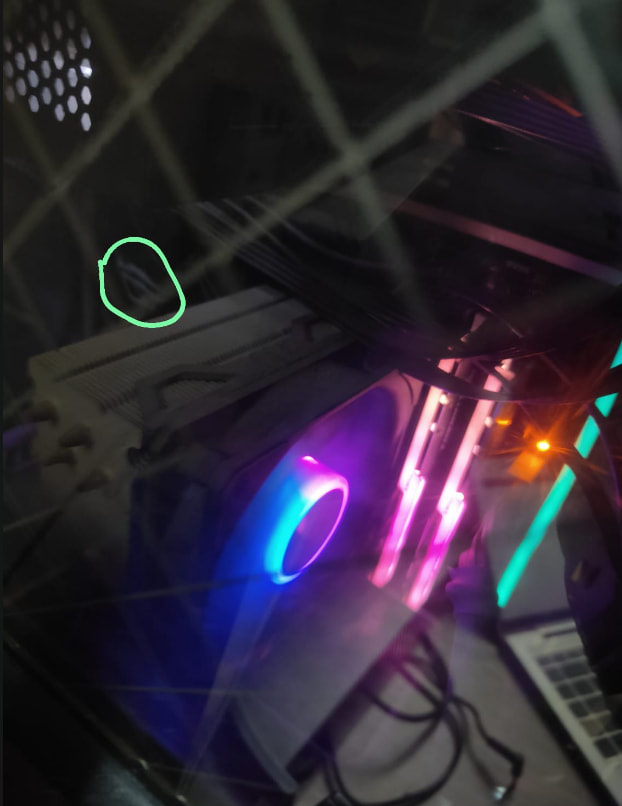
Tried rebooting the system, the same phenomena like earlier..no post no display.

Powered off main, powered on, booted in bios, everything was ok. Loaded defaults, rebooted. Entered bios again, loaded my usual saved profile, rebooted into the SO but this time into a secondary user account. Fired FF and here everything was working as if it was a usual day for me.

Kept using this user account for past 8-10 cays and all AOK.

Since past 3 days shifted back to my primary user a/c and here too things are working usual now- FF. Dont know what was the issue then as even event viewer didn’t log anything logical.

Just wanted to share such abrupt behavior a rig can give you that too without any logical explanations! Like we usually say “system went crazy/jhatka ana etc”

OS is also haunted with the critical process bsod on some bad day which is mostly driver related but no drivers are bad and neither rollbacks or updates worked to totally eradicate the issue.

I”m not yet sure on the rectification but this is what worked for me. Pssst the OS is well over 8-9yrs old and I have to replace it with another Win10 or a possible shift to 11 but I”m too lazy and not ready for this owing to no time for install, then config the os, install apps, syncs, config users a/cs etc.

So just living with some stability at the moment (this moment has been a loong one-2yrs or so with every time a different error and bsod.

1 Like

Something on the motherboard is failing and preventing a clean POST. Try disabling everything that you don’t need, stuff like audio, serial, sata, etc.

I’ve had failed POSTs when an Intel 2.5G ethernet controller died, I had to disable that to boot reliably.

ROG led not lighting up indicates it might be USB related.

But this indicates it might be the ethernet controller. Put any load on it, it starts randomly flaking and causing a system crash.

It could be the mostfets powering that part of the board.

It could even be a misbehaving USB device sending surges back to your motherboard.

What do the logs say ?

Check the event viewer.

Post the event viewer logs here once.

I mentioned that the logs say nothing.

A rule of thumb I always recommend if the problem is not visibly diagnosable is take the PC apart and put them back together carefully and see if the problem still persists.

As said this issue occurred only once and now all good.

I think a BIOS refresh was all that was needed. Now need to find ample of time for a fresh os and further configs.

2 Likes

It is good that everything is working good.

Installing and configuring an OS isn’t going to take long. It will take around few hours at most.

I would recommend a clean install over upgrade though. If you want, you can even customise windows installation Using autounattend.xml (feel free to use a generator).

I use winget nowadays to install common softwares. You can configure it too if you want or you can install from command prompt one by one

You can use https://winstall.app/ to get package names for initial installation.

To update every app at once just type winget upgrade --all

You can use pin command to exclude any app from auto update.

I don’t recommend installation of any debloat script. It takes few minutes to do it manually.

Use a system image backup software like macrium reflect free or hasleo backup suite free to make an image of windows with no software installed with all the tweaks/configs & then install all the core/must have software & then again make a differential image based on initial base full image made earlier. Use portable software as far as possible incl browsers all located in D/non-C drive & move default “My documents”/“My Downloads” etc folders too to D drive. As long as you don’t upgrade entire OS to different version (like win 10 to win 11), this should be good enough to reset your pc to confirmed good initial point anytime within few minutes (assuming backup images are stored on ssd & C drive is also on a ssd drive preferably different from image storing drive).