Planning to upgrade to Windows 11.
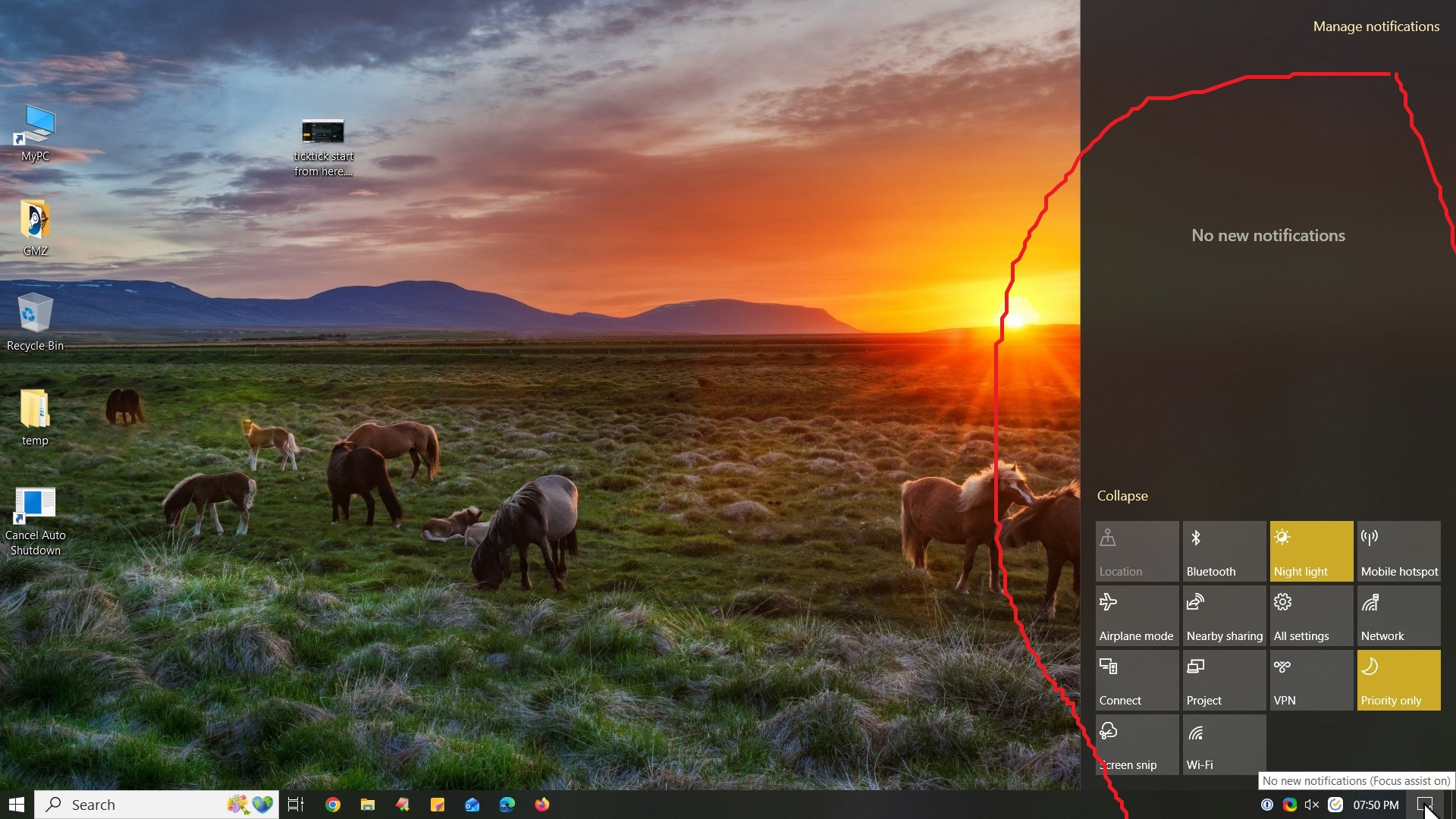
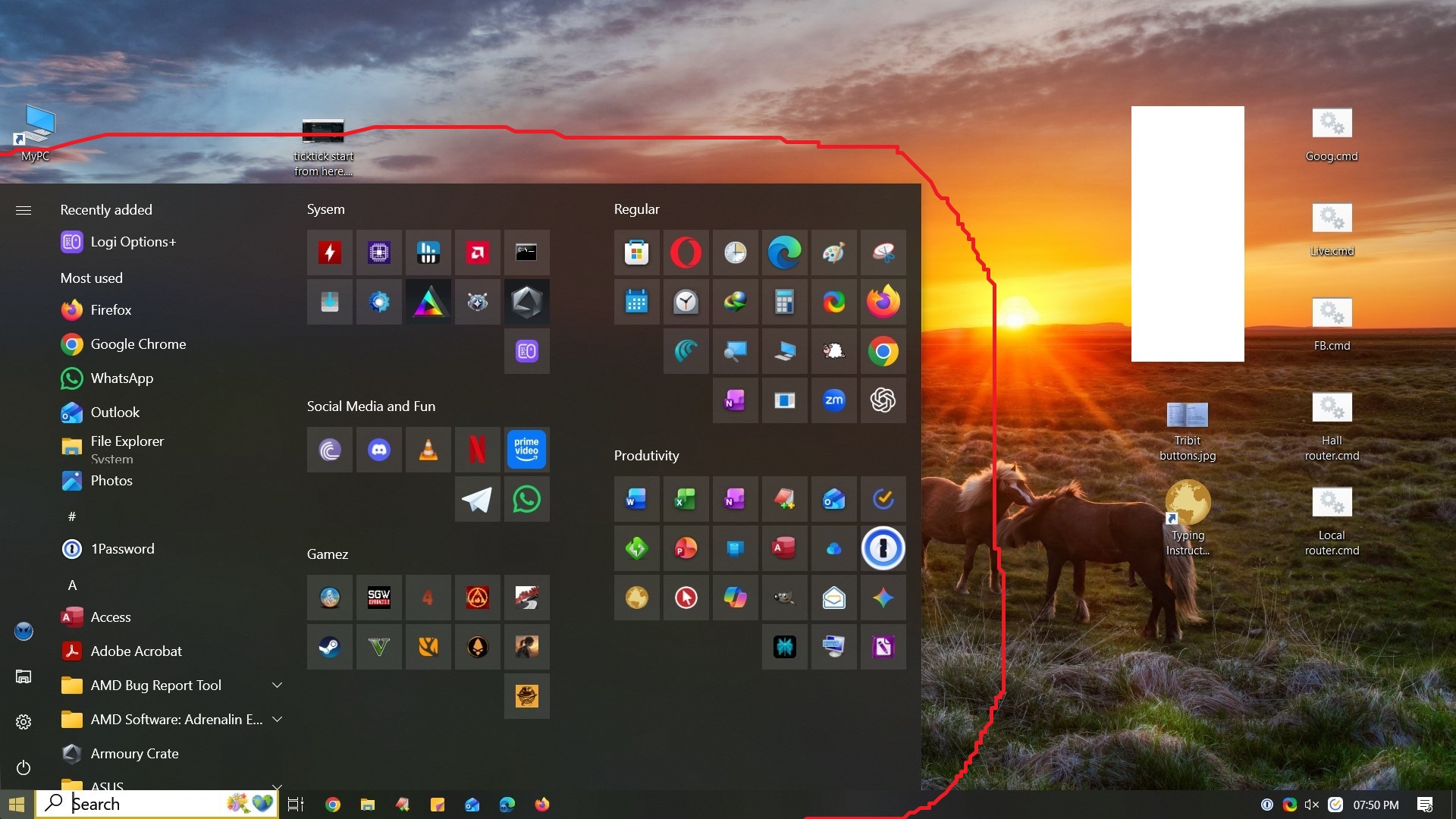
I have some customization’s to start menu, task bar, system tray and Focus Assist..
Can i achieve same in Windows 11 ?
Attaching screenshot.
Planning to upgrade to Windows 11.
I have some customization’s to start menu, task bar, system tray and Focus Assist..
Can i achieve same in Windows 11 ?
Attaching screenshot.
When you apply dark theme win 11 icons will be similar but with its own improved theme design.
As for the startmenu style its all revamped now and without using 3rd party tools there’s no way the start menu can be like Win 10.
Start Menu is totally different in Windows 11.
You can use Windhawk to customise it. It has mods for start menu, taskbar, notification centre etc.
You can give it a try in a vm if you want
Won’t think that will carry forward but will require going through hoops of Registry modifications and tinkering.
No. you can’t customize the start menu, system tray in windows 11 as you did in windows 10.
Only possible to some extent.
I recently moved from windows 10 to windows 11.
Only by installing 3rd party mods, you can achieve the customisations. Which is not advisable.
Not sure why MS always wants to enforce users to adapt to there new OS/APP behaviors.
They screwed many things..
Now, i will sit with Windows 10 and check if those required things are possible as suggested above.
Testing on VM is better idea as @Satyanveshi suggests.
New MS Outlook 2024 is screwed badly as well, including Swiftkey keyboard for Android/iOS
This is the main reason I primarily shifted even my Gaming setup to Linux. Focusing on AI and other crap integration rather than consumer experience. Windoge 10 after years of improvement was better OS especially the LTSC [inclusive of iOT] - If you want to keep longer. Get the LTSC iOT version.
I have 2-3 Windows 10 key bought here at TE which also works for Windows 11.
Can you explain or link to articles about what is LTSC iOT ? for a layman
And if my keys will work there ?
Go to Massgrave [dot] dev
The LTSC licenses are different from the other regular licenses. The LTSC [or iOT one] is a specialized version without the Consumer windoge crap built in. It is debloated and stripped down version of Windoge.
Your keys won’t work with those. You don’t need to purchase the keys. Just go to the massgrave site. Download the Windows 10 Ltsc version from there. Verify the checksum of the downloaded file with the one mentioned.
Use the Activation script provided by them.
Official version - Windows 10 Enterprise LTSC 2021 (64-Bit) : Microsoft : Free Download, Borrow, and Streaming : Internet Archive
To further expand it - LTSC [iOT] versions wouldn’t come with the microsoft store and other junk. It is the bare minimum install.
These are built for very low end hardware like ATM machines. It will not contain any UI elements update what HOme and Professional versions.
Whatever stuff you need, you would need to download it.
I like Chocolatey as a package manager on Windoge.
With the last update, i can’t even turn off all apps categories anymore in the start menu. It just can be changed from one style to another 
I hate changing my devices or customising them again and Microsoft doesn’t fail to ragebait me. I also recently updated from win 10 ltsc to 11.
Both of the things you highlighted will not be carried forward as the system tray thing and start menu have changed in windows 11.
MS should be ashamed..users have to resort to 3rd party apps and purchases merely for a tiny start menu & taskbar tweak. This shows how in the name of development basic useful features are killed and they call it evolution. Yes, evolution of inconvenience for sure.
Microslop at it’s peak.
Thanks for this info.
I read on this forum, some guy faced major issues with OS hacked or something similar downloading from this site ?
Even whois information is privacy protected identity:
https://in.godaddy.com/whois/results.aspx?itc=dlp_domain_whois&domain=massgrave.dev
I am using Windows 10 Pro and looking for enterprise related features (if any) and as you mentioned rest of things as I require, will be need additional downloading ?
Will I get important security updates for OS atleast for Microsoft Defender from MS ?
You can with third party tools but they come with their own glitch and bugs. It tries make it look like that but in actual usage you will not get that feeling.
So, it’s best keep to what Windows 11 provides. If you need more customisation then you can go Linux route with gnome, kde etc only if you don’t use Microsoft office and Adobe software much.
Yes, you get all Windows-related security updates as well as Windows Defender updates. Only new features updates mostly(like new ui redesign or customisations) are not provided.
Most features from 10 Pro should be available on 10 LTSC also. If you have any specific feature in mind from 10 Pro, try searching on the internet or Google if they are available on LTSC or not.
You can download the ISO from Massgrave’s website provided link also. Archive.org is a digital archive of the internet, mostly maintained by users. Though I will recommend the link from the massgrave site. Or DM me, I will provide you the link from my drive for the ISO that I had used last time, which is still running fine on my old laptop.
off-topic but noticed you use bittorrent, which is infamous for adware/cryptomining/other malware, a good free & open-source alternative is qbittorrent ( qBittorrent Official Website ), you should check it out
You’ve got excellent suggestions provided to you by other members here by @omair.irfan76 -
As for the safety - I have used it primarily on majority of my machines in the past which were mission critical.
I was part of Microsoft’s security and compliance team once which audited many small to medium sized businesses.
These activations are done by exploiting a loophole in MS activation servers and is 100% legit as of now and safe. The activation scripts are open source and is permanent. It is not re-arming the keys like KMS after certain period of time.
LTsC will be mostly focused on security updates and yearly or so feature updates. It will be bland Windows home/pro. Bare essentials of the programs you need to run the OS
Lots of customization using this:
Check this latest news