Hey wassup guys,
This here is my first ever tutorial on how to set your custom wallpaper in windows media player. {Win7/Vista}
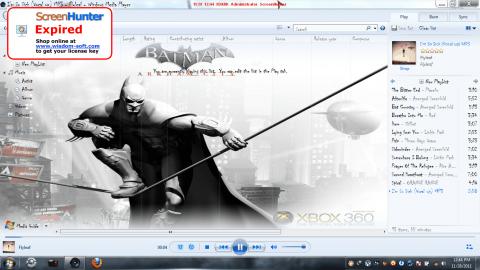
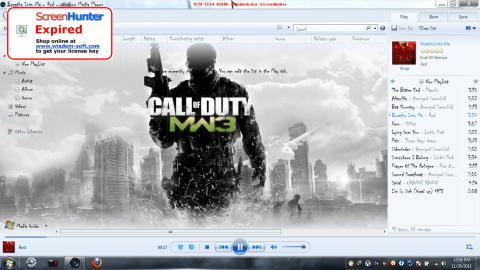
This would be the final result :-
[attachment=10391:17297.attach]
[attachment=10392:17298.attach]
Apparatus Required
- Restorator 2007 Trial {reshack can also be used, but restorator is much easier}
Restorator 2007 - Free software downloads and software reviews - CNET Download.com
-
Awesome/Cool/Jaw-Dropping/Head-Turner Wallpaper {Highly Recommended}
-
Windows Media Player Background Selector.
Free File Sharing Made Simple - MediaFire
Let’s Begin
Step-1
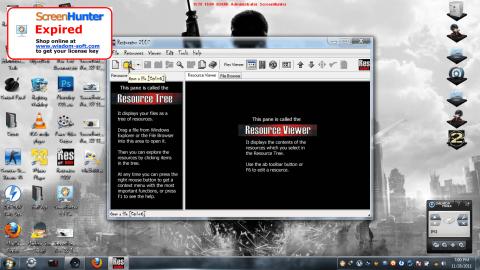
Start Restorator trial, you’ll be shown a waiting page to register and blah, blah, blah, ignore and continue.
Step-2
Click on OPEN button
[attachment=10393:17299.attach]
Step-3
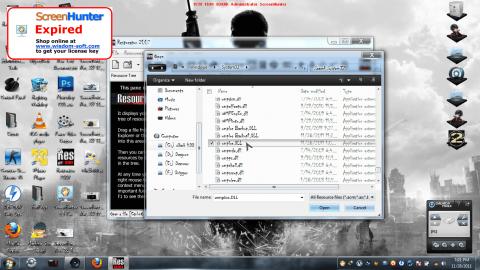
Navigate to "C:\Windows\system32" and select { wmploc.dll }
[attachment=10394:17300.attach]
Step-3
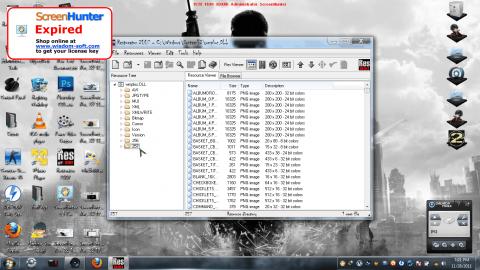
You can see the contents of the dll file on both sides. click on the 257 folder on the left side pane.
[attachment=10395:17301.attach]
Step-4
You can see the contents of the 257 folder on the right side.
Step-5
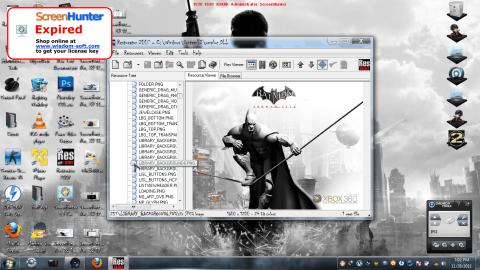
Navigate to “LIBRARY_BACKGROUND7.png” and double click it, to see the DEFAULT image of the Windows Media Player.
[attachment=10396:17302.attach]
Step-6
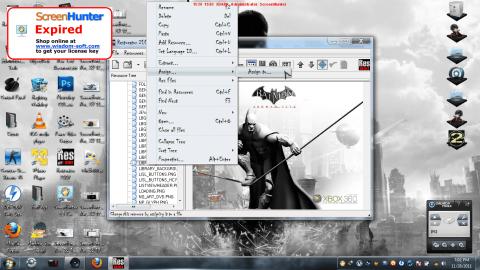
Right Click on the “LIBRARY_BACKGROUND7.png” on the left pane and select Assign, and further clicking Assign To.
[attachment=10397:17303.attach]
Step-7
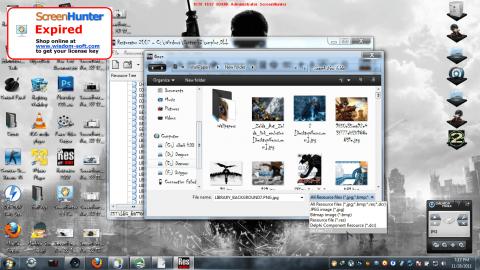
Click on the “Resource Files” on the bottom right Drop Down list and select “All Files”.
[attachment=10398:17304.attach]
Step-8
Select the Image/Wallpaper of your choice, and click on the “SAVE” button right next to the “OPEN” button.
Step-9
Close Restorator Trial, and go check out your new Windows Media Player Background.
Note :-
The “LIBRARY_BACKGROUND.png” files are listed from “LIBRARY_BACKGROUND{2}.png” to “LIBRARY_BACKGROUND{7}.png”.
The 7th image represents the default image which can also be customized.
You can also customize the rest of the “LIBRARY_BACKGROUND.png” images to your liking, and have a total of 6 custom backgrounds.
Use the “Windows Media Player Background Selector” to switch between the backgrounds On-The-Fly.
{Windows Media Player needs to be closed.}
Please feel free to give me feedbacks about typos, dead links, etc.
I know many of you already know this, but it never hurts to spread the knowledge. Right?
i tried searching here in TE before writing this, and couldn’t find something similar, if this has already been made, staff members feel free to delete this thread.
Adios !!!