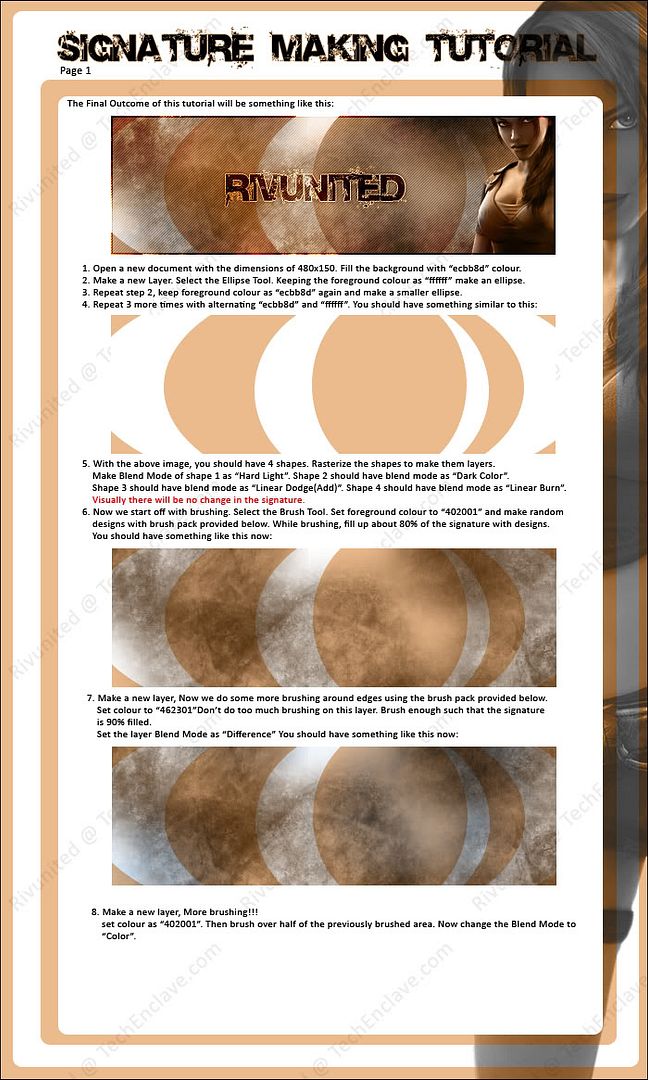
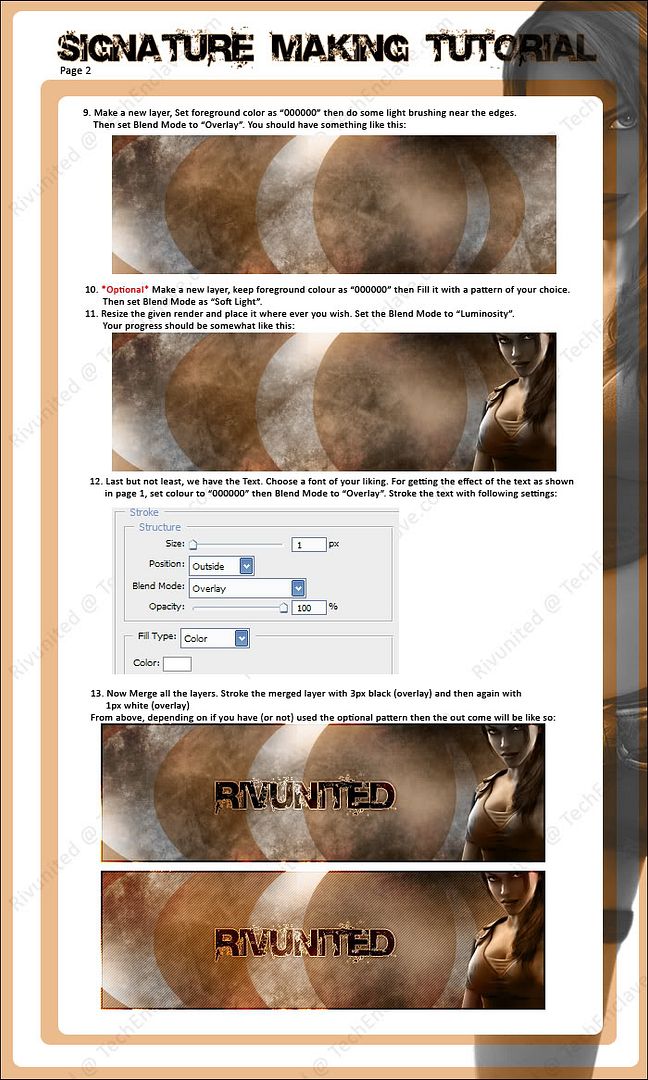
Due to many requests, here is a basic step-by-step guide to make a custom designed signature. This tutorial will, hopefully, benefit beginners and intermediate designers. I will make an advanced level tutorial when i have free time.
Enjoy!
Resources: 1.png - Image - Photobucket - Video and Image Hosting
Brush Pack: RapidShare Webhosting + Webspace
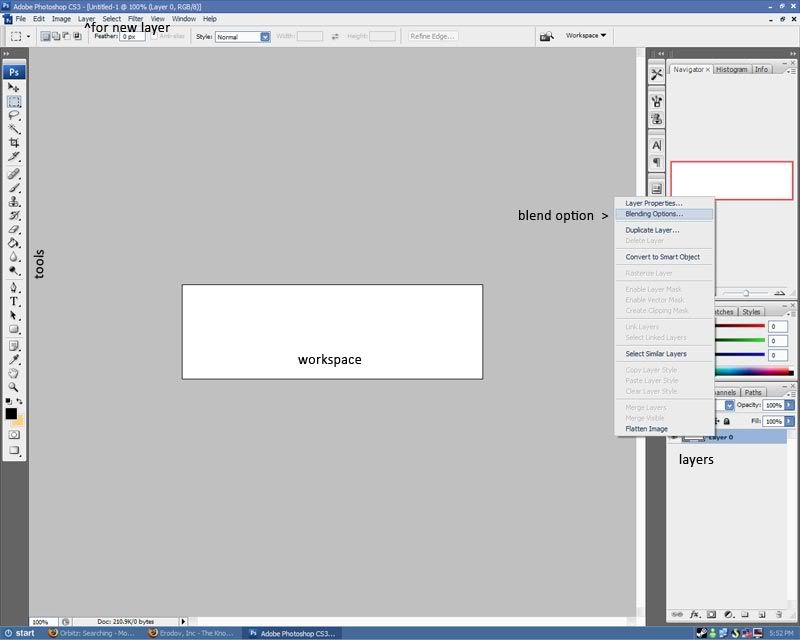
For people who are not at all familiar with Photoshop:
10 Likes
Wow thats a neat tutorial.
Thanks a lot , will really help a lot of guys.
Some more detailed screenshots for the photpshop settings will definitely help , all dont know where layers and other menus are.
You must spread some Reputation around before giving it to Rivunited again.
Sorry cant rep you.
awesome man…a more detailed tutorial on this wud b good…like quadmaster said many donno where the layers and the other options are…all in all a good review and a very good start…
keep up the good work…
unfortuantely i too can’t rep u:(
maybe this may help people who are absolutely not familiar with photoshop
edit: moved screen shot to original post
I didnt understand when did u add the lara croft image.
step 11.. the image has to be on the top most layer… so thts why it came last.
Nice guide, really good work, I like the image too
where can i get that font.
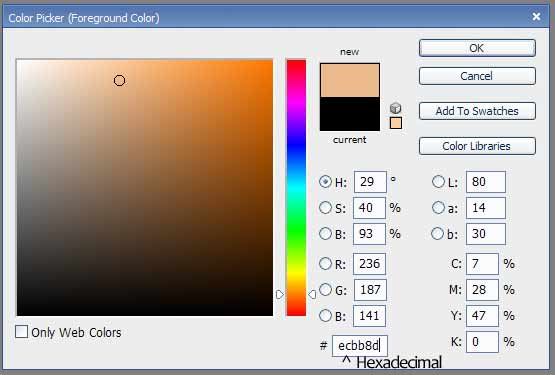
i dont understand the colour thing “ecbb8d” i am a total noob in photoshop.can u give more details.plz
that is the Hexadecimal.
speed
December 5, 2007, 3:55pm
16
thanks for sharing…i’v been looking 4 this for a long time…this is a great work…
thanks, ill be making a more advanced sig making tutorial soon
pause
February 23, 2008, 4:51am
18
i created and edited my signature… but it doesn’t show in the posts… not yet anyways.
^^ I’ll post Gimp tutorials soon after boards