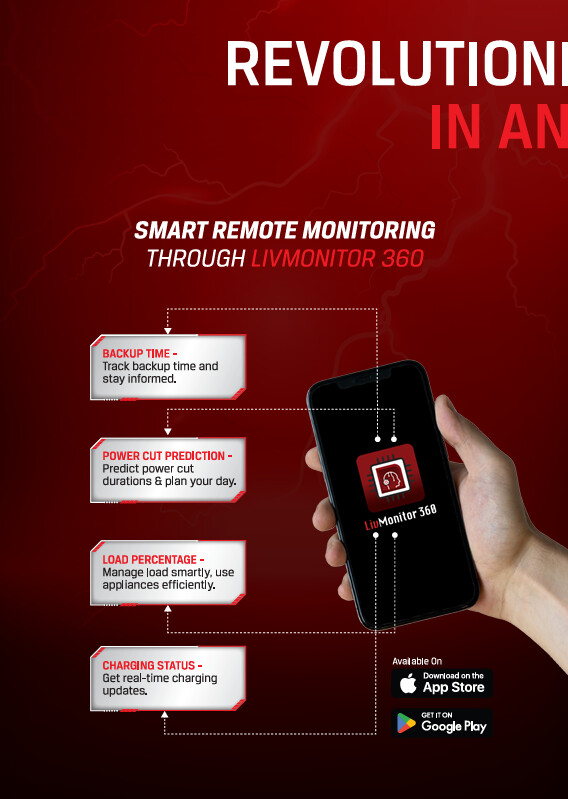
The Livguard Lithium X all-in-one unit that I linked to earlier, does come up with monitoring features. However, might be limited to their app though, unless they expose the information through some other way.
1 Like
The livguard lithium which in your top post for Rs. 45k presently is available for Rs.21k?
Literally half the price 
Just posted a random product from their website. They do have 3.5kw lithium inverter
1 Like
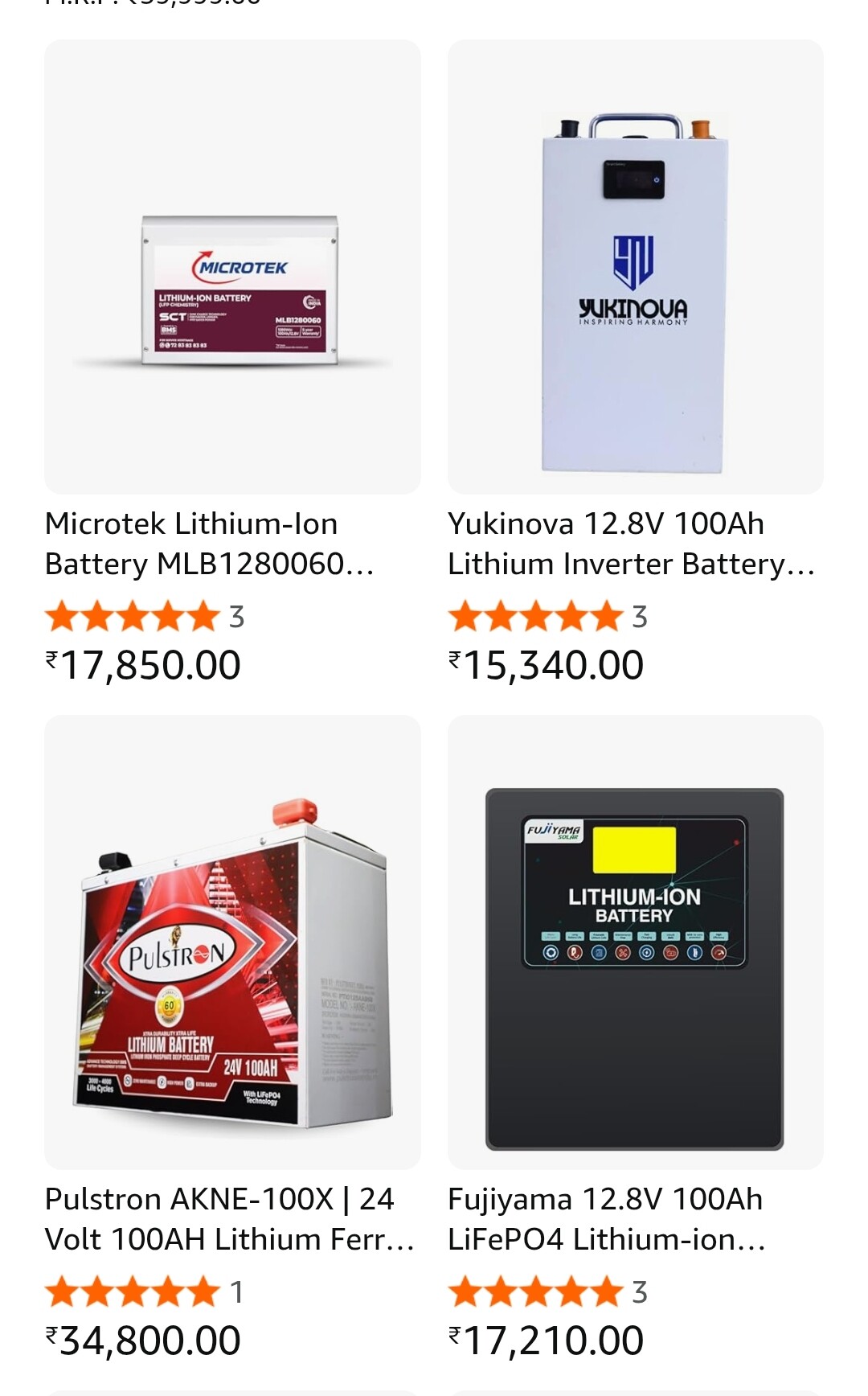
No no. I was referring to the Microtek 100 AH LFP battery pack. It comes on sale from RetailEz at 18k (saw it 2 times or so in the last 2 weeks)
1 Like
Love to see it:
Used 200Ah batteries can be had for Rs 8500 and they have a scrap value of 4500 with the same dealer. Kind of hard to beat for occasional non-critical outages.
I’ve had 3.5 cycles in the last 8 weeks with my diy battery and 1 of them was a capacity test.
Going to have to wait for summer/monsoon to see more cycles.
1 Like
I ended up ordering the Livguard Lithium-X for ~35k (after 8.5k or so of discount with SBI Cards). Even post discount, I find it over-priced, maybe ~30k is the appropriate price. 
- 1250 VA ~ 1000 W would give a good buffer to connect the flat’s entire lighting/fan/5A socket load (except for few designated 5A sockets for ironing and other high wattage loads)
- Daewoo unit from reviews didn’t appear that great, seems like they are just using the Daewoo brand name.
- 8 year warranty - 5+3 year warranty (5 year comprehensive + 3 year extended warranty covering transformer and battery)
- App based monitoring (feel good factor)
- Design looks good, all-in-one wall mountable unit
I am still in two minds about the purchase though, so I’ve scheduled delivery after a week, so that I can cancel it if I change my mind.  Since the price was significantly less than when I first considered it, didn’t want to miss the deal.
1 Like
You got a pretty good deal!
The raw cells are worth 24k, bms 4k, high-current charger 3k — that’s 31k before the actual inverter and app!
1 Like
Thanks! I was basing the desired price calculation off the Microtek 100AH battery (which includes the cells, BMS) that’s going for 17.5k (before card discounts).
Would the cells+BMS on the Livguard be of significantly better grade than the Microtek?
Ordered the microtek one with sbi 2.5k discount will pair with ashapowe surya 50 with 900 watt solar panel and normal Exide inverter 800va.
Let’s see how will goes
2 Likes
Ah crap, I messed up the math on that. I thought it was a 24V inverter, but no it’s a 12V inverter with a 1280Wh battery.
So it’s more like 12k for the cells, 3k for bms, 2k for charger and another 8k for inverter.
I’d say it’s still worth it for an all-in-one solution with an app from a reputable brand.
It’s a brand new product segment and brand new product model, so you’re paying to have the first of something.
They’re offering 8 year warranty on the battery, so it has to be top quality cells.
They all should have top quality cell actually. You’ll only see lower quality cells in the hobbyist market or shady YouTube/Indiamart resellers.
1 Like
What was the final cost? How is it going. Please review it’s a well priced product.
Got the unit installed today finally, the package was delivered a week ago, but was bit occupied so couldn’t get the work done. Livguard offers free installation, but they won’t do any wiring, so the inverter point must pre-exist. In my case, there was no inverter point, I asked the Livguard technician whether he can do the wiring for payment, he connected me to an electrician who he said will do the wiring and do the installation as well.
I had got this Havells surface mount box with socket and MCB to use connect the unit. The inverter unit comes with a 16A plug top. I wanted to pull a separate line, through the existing conduit, to separate a socket from the inverter circuit in a room, but the electrician was not very interested. Also, while drilling the holes to fix the inverter mounting bracket, he messed up and the anchor bolt got damaged. I think he didn’t drill the holes big enough, then he had to go get another set of anchor bolts from the store, which was of different diameter which meant new holes. Anyway the un-used holes are not visible as it gets covered by the mounting bracket and the unit. Otherwise he did a decent job.
I only did couple of forced power outages to test, and things were seamless. When it goes to backup mode, there are 3-5 beeps to indicate that its running from battery, after that it’s quiet. Also, when I got the unit, battery SoC was around 50%, while AC charging, the cooling fan runs making a noticeable sound, nothing too loud though. In battery mode, the fan turned off, this was at around 40% load as per the display. Once the grid power is back, it doesn’t instantaneously switch to grid, which I found pretty neat. It takes couple of seconds before switching, so fluctuations or power going on and off may not cause repeated grid <–> inverter transfers. I have a UTL off-grid solar system system at another location, which does the switch almost immediately on power restore (during non solar hours, as during solar hours, it would be mostly running on solar).
Their mobile app is pretty basic with not much info available. Configuring it was pretty easy and direct except that the iOS app doesn’t work that well. So I had to use an Android phone to set it up, after that I could login and use the iOS app.
It only shows
- Grid Voltage
- Battery SoC
- Mode of operation (Eco vs UPS) (Can’t change the mode, only shows current mode)
- Power cut duration graph (monthly, yearly, lifetime)
- Current load % (but only when in backup mode)
So the app is not that useful, but like I said before, okay for the feel good factor. 
Will test out the different modes of operation in the coming days. I plan to connect the input to the inverter using a Tapo P110 to monitor the energy consumption and also wanted to check idle power draw.
2 Likes