I have a windows desktop and laptop for home and a macbook for work. I would like to use a KVM or dock-thingy to make my life easier with my peripherals. I have a 4K60 LG monitor, a Keychron K8 (which is BT+wired) and a cheapo Zebronics 2.4GHz mouse (which I am willing to upgrade if necessary). I only need support for 2 devices (the desktop stays connected, the windows laptop and mac get plugged in and out as needed).
Ugreen KVMs are available on amazon and would be my default choice unless anyone can suggest me better VFM options. I am also not sure about mac support on these KVMs.
I do not game on these machines so I “might” be OK with 4K30 as well but I am not sure, please suggest if it is worth the downgrade to save some money. Many thanks!
I have a monitor that has a built in KVM and Picture in picture, picture by picture. Got it specifically for this, also now I have started using mouse without borders, after I was able to convince work IT to install powertoys on my device.
The one i got isn’t available anymore, it has 3 USBc + HDMI (macbook with 1 USBc. Other is power plug for Macbook and other USBC for data from PC + HDMI from PC) for input… and HDMI output with 4 USB ports… working fantastic for me..
There weren’t any good KVMs around 5k earlier, but we have some options like this now:
Heard of issues in many 3-4k ones, hence I ended up using a USB switcher & just manually switching from DP to HDMI on my monitor when switching between PC & office laptop.
Do not settle for 4K 30Hz, 30Hz is bad for normal usage, heck I got so used to 120Hz or higher panels that even 60Hz seems laggy for normal usage sometimes (my office laptop is 60Hz).
Yea I was looking at this and other Ugreen options. I’m not going to be connecting any storage to the KVM so is there any benefit of going with USB 3 vs 2? All I need is display and input devices.
I have this same monitor. Using it for more than 3 years now… only issue is you have loooot of cable to manage behind the monitor and i was tired of it…
How much are you saving? Even if you save 1k, I will personally pick a USB 3.0 hub any day if I am spending close to 5k, it can come in handy in future.
I have not found any alternatives yet but for ugreen, the usb 2.0 variant is 3k while the usb 3.0 variant is 6k. It’s not a big difference numerically but percentwise it is
This looks like a software solution to share input peripherals across devices. Haven’t used them but latency might be a concern. And it doesn’t handle video out.
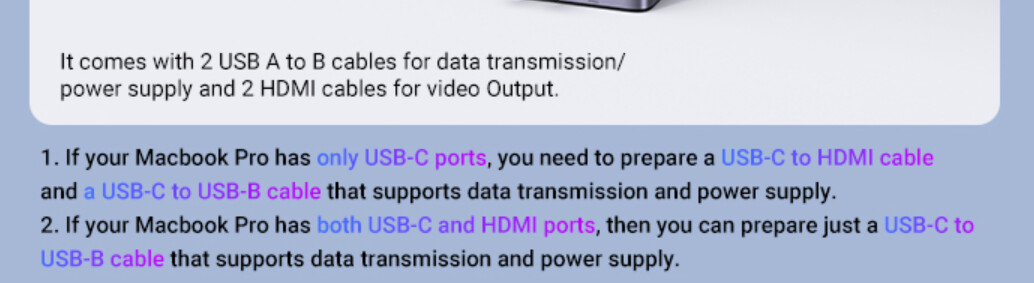
You need to connect both HDMI & USB to the laptop, so the instructions make sense.
Yes, will need Thunderbolt for 1 cable connection & your KVM needs to support Thunderbolt as well. Even though USB4 has TB3 specs, it is still expensive & not widely used.
Yea thought so. Lemorelle does have a “USB C" KVM on Amazon which requires TB or DP-Alt Mode enabled USB C port but it only supports this. I don’t think my desktop supports this.