U.S.I.H. - a project idea, which I’ve been working on for a few months now, putting on a thread, to have it tracked publicly, so that others can give their inputs and suggestions on how to work around with things.
Goal - to complete an entire ecosystem of devices, sharing computational power and resources, across my home network, which allow me to take control of my home devices even when I’m not home.
No specific requirement of it, but just the “itch” to build something cool.
How it started - when I tried “Parsec” (a remote access software, allows you to take complete control of your PC from anywhere), it worked great for me to access my home PC and fetch files and do minor edit works (on photoshop) for college purpose, when I just have access to my laptop at the college. But this had a major issue - it required someone at home to power on my PC, and then I could grab remote access control right from the lock screen itself (unlike teamviewer OR anydesk, Parsec doesn’t need you to launch it’s application on the host system).
Hence got the idea what if I build something, that I text it a command, and it power on my PC; which brought me on a long run, and now a super massive list of goals to achieve through this project…..
(personal PC - R9 5900XT, RTX 3060ti, 64GB RAM, 1+2tb NVME)
(self laptop - R7 5850u, Vega 8 iGPU, 32GB RAM, 1tb NVME)
Phase 1 : Trusted Infrastructure for Technology and Advanced Networking
TITAN is going to be the Server that I’ll be putting into this project, which is expected to act as the backend for the entire thing, the primary source of “power” in terms of computation.
Considering this thing is going to be running 24x7, initial goals were to keep it on a slight stronger side MAINTAINING low power consumption.
Initial Build : R5 1600 (6c/12t), 8GB RAM (ddr4), 2tb NVME (gen3), 400w PSU (antesports), GT710 2gb, AntEsports B450m motherboard - All running on a Ubuntu Server headless installation, all configured and controlled via SSH from my man PC.
And day 1 requirements were Network Attached Storage, Media Server, Local network Workspace - which have been achieved via Samba, Jellyfin, and NextCloud.
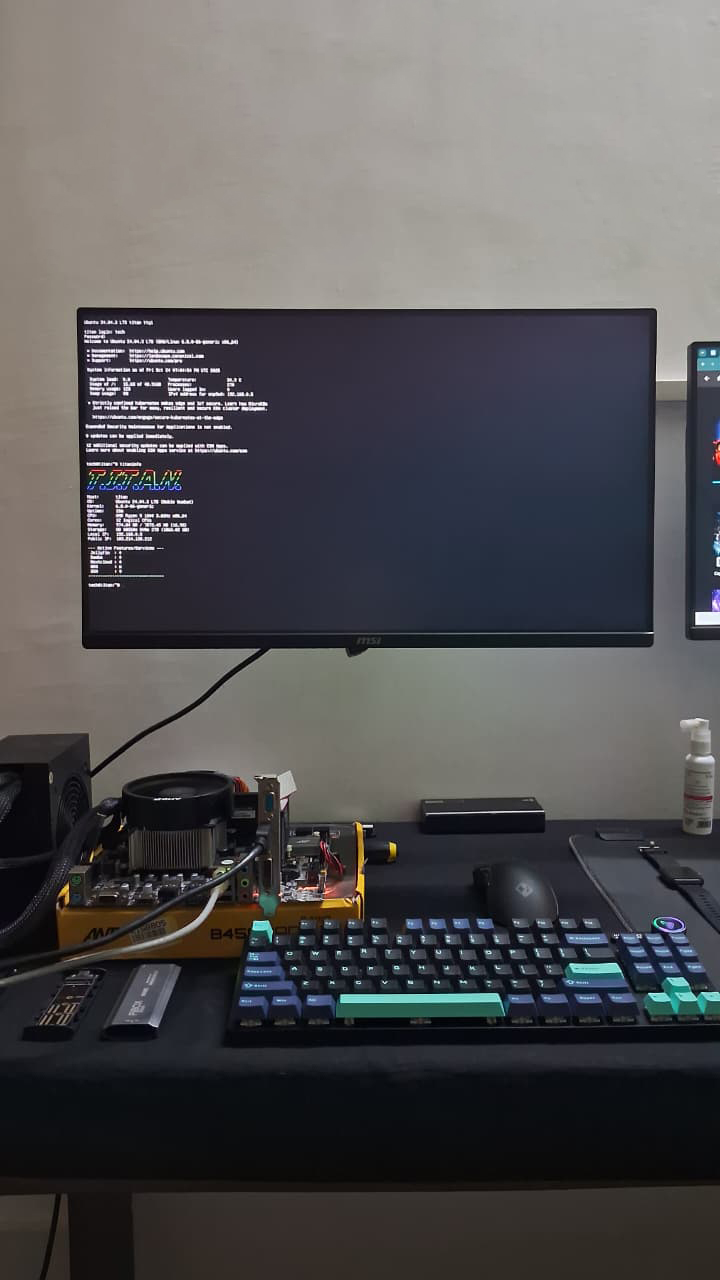
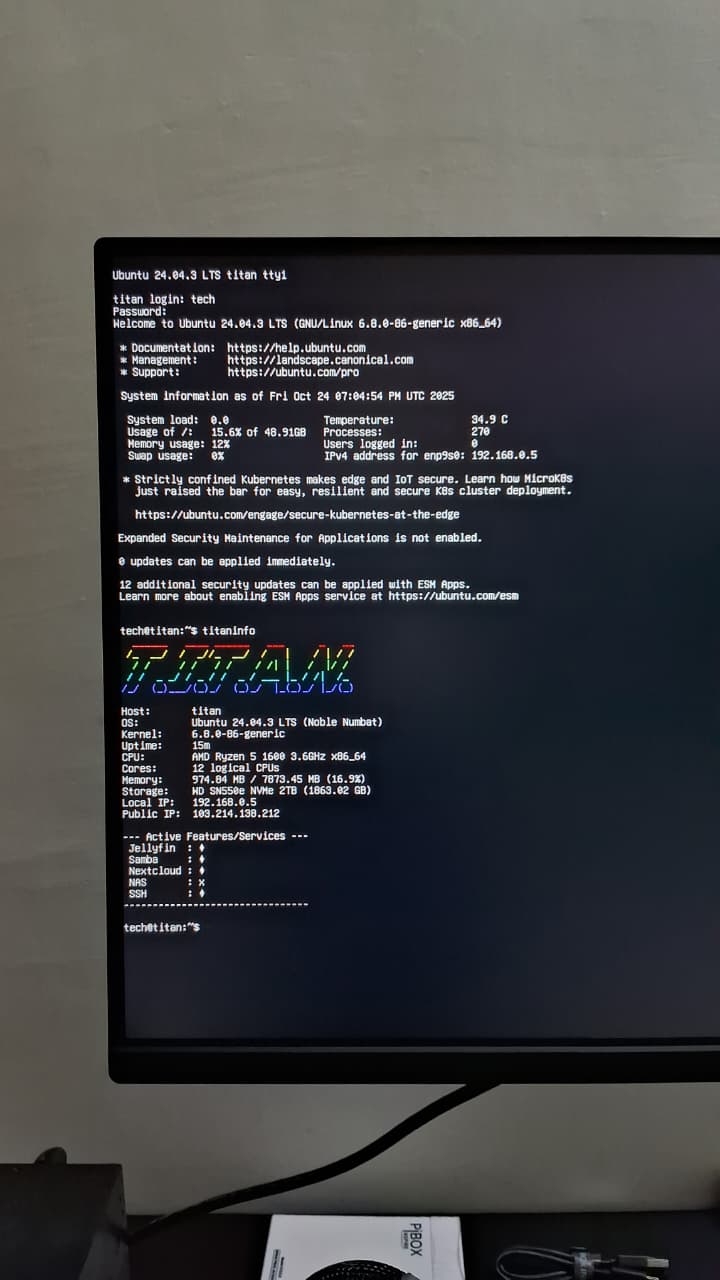
Flaw 1 - GT710 was TOOO WEAK to encode / decode the media played through Jellyfin → straight demand for an upgrade
Target was to get a card, that would run without any power connector, and heat less as well, most importantly be cheaply available.
Upgrade Phase :
Not a major upgrade, but few minor changes
Processor - R5 1600 → R5 2600 ; AntB450m → MSI B450m ; 8gb → 8x2 16GB RAM ; GT710 → GTX 1050ti (4gb vram, no power connector); AE 400w → Gigabyte P450B (bronze & branded)
Most of these costing me almost nothing as they were my own stock, so costed like just a fraction of their actual rates, wont’ be calling a major upgrade, but just a little less old that what I initially started on.
Also swapped all parts from the table, into a Zebronics cabinet, where the front led is what brought me to choose it as the case (else the plan was to build a wall mounted shelf for this thing)
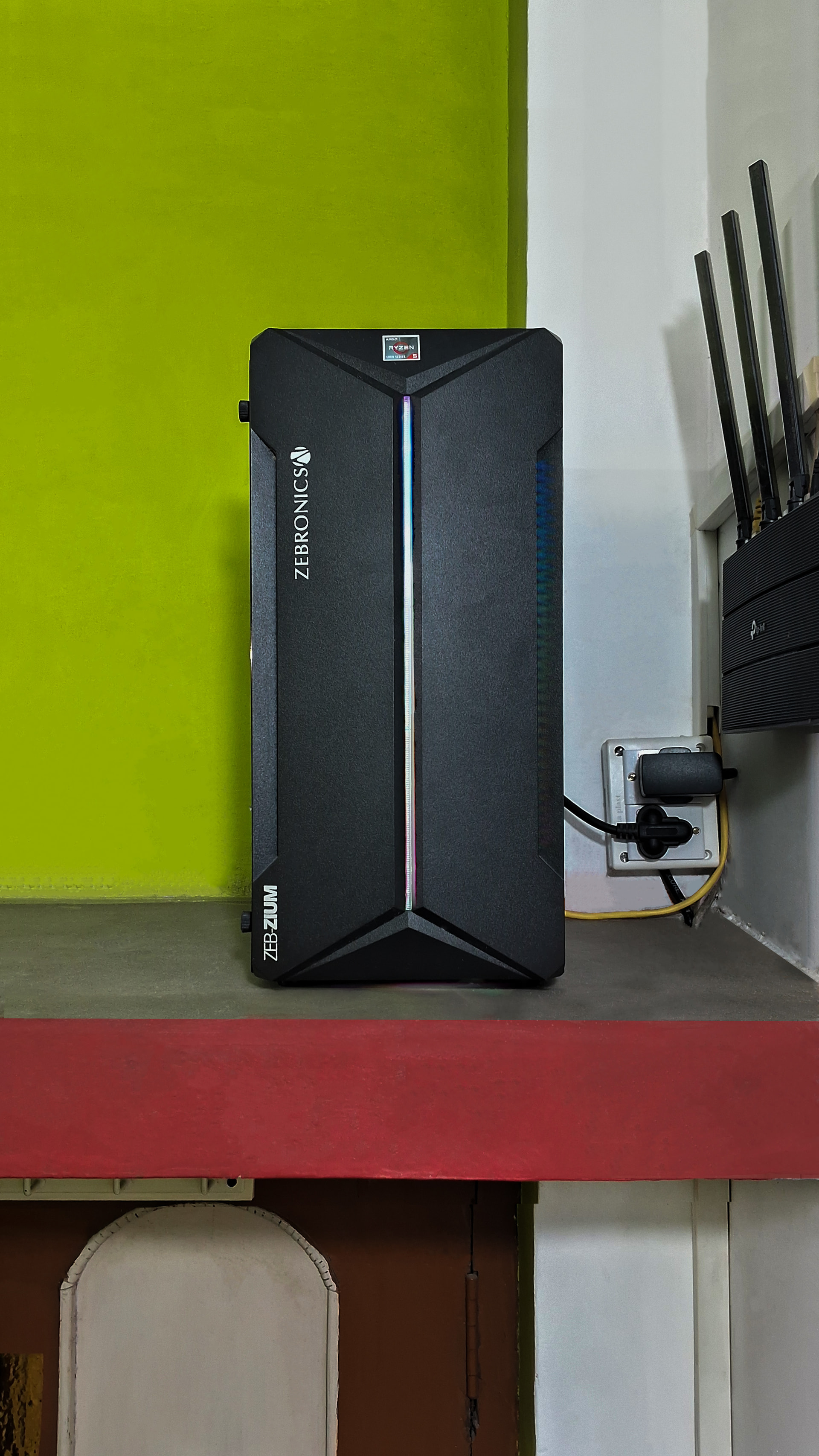
My home network setup is currently :
ONU → TP Link Archer C6 (main router) → TP Link Archer C6U (extension router, in my room, visible in image)
Internet plan is a 150MB/s one (got on discount, costed Rs. 5,900 incl GST for 1yr) - which is ofc of no use for the home infrastructure usage. Both routers are Gigabit ones, and yes all devices are at a 1Gbps link speed as well (both routers, server PC, self PC).
Next plan is to add a UPS to each of the Router setup, as there’s no inverter at home, though powercut is about 2-3 times a month, hardly for 5-10 minutes, having a BackUPS is a safeguard against any electrical failure & assures constant internet supply across all devices.
Phase 2 : Home Assistant - J.A.R.V.I.S.
I did read lots of home lab & smart home setups on the forum, but didn’t find anyone building a personal home assistant, not sure why, or maybe nobody is as free as me to tinker this hard 
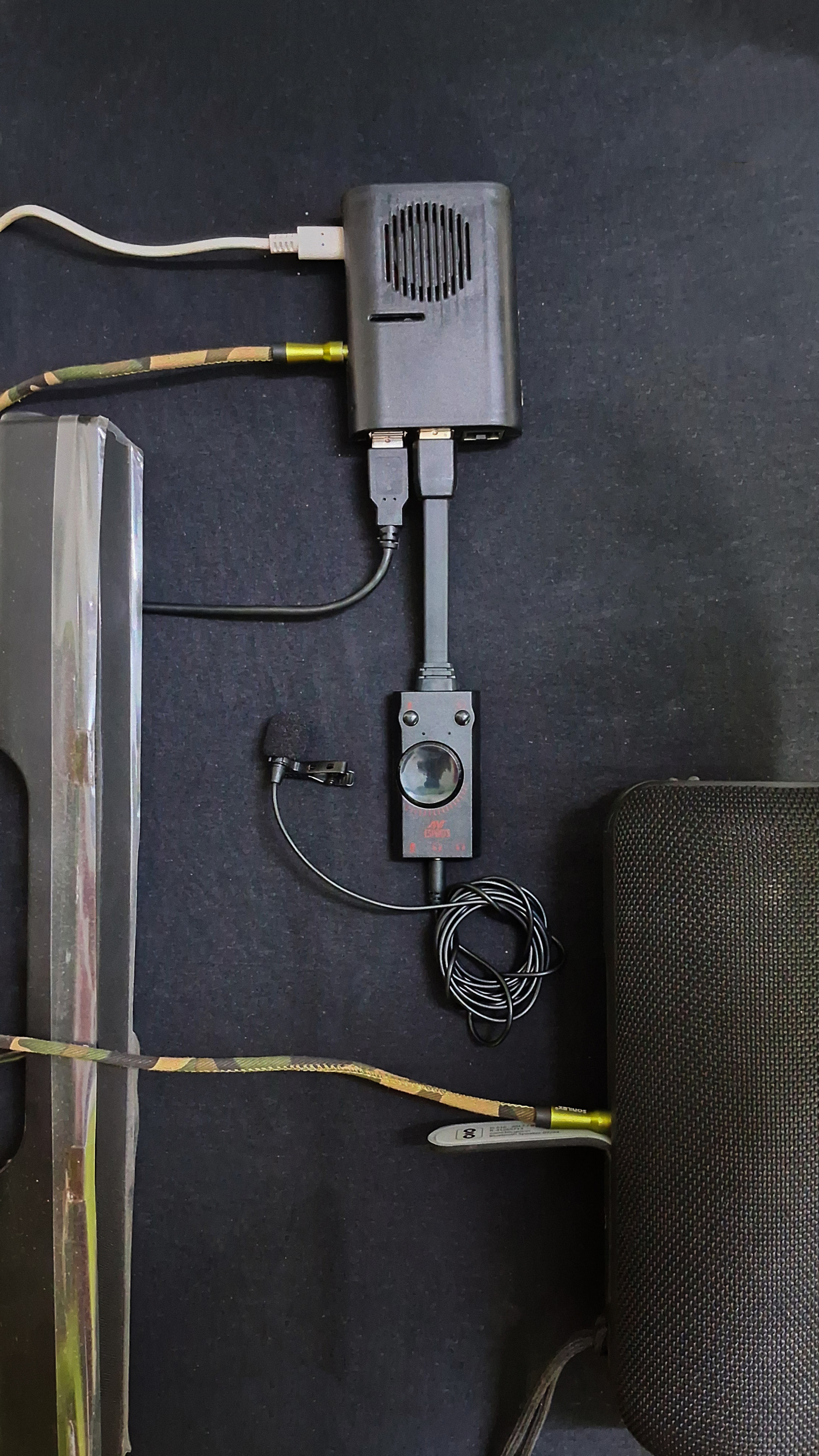
For this, the plan is to make use of a Raspberry Pi 4 as the interface, where it relies on the server for the backend computation job (whenever required and server online).
Goal is to make somewhat a real life Jarvis, ofc not as great as what Tony Stark had, but as great as it be possible to make it {something that can survive internet outages, so entire processing happens locally, cant’ rely on APIs from others ((cant afford APIs either)) }.
Setup has been as the Rpi connected to a Microhpone (to hear me) and a speaker (to speak up), and the rest is all configuration and setup of the interaction and conversational modules that will further be fed to the Pi, along with custom intents, commands, connectivity nodes etc etc.
Progress on the JARVIS so far, not so great, but took me a whole week.
Initially started with Rhasspy (prebuilt home assistant package) but did not work out well, had crazy issues, which I couldn’t fix up, later went in for all manual.
Simple workflow : I speak → J hears → Speech to Text → Process the text → Brain → process response in Text → Text to Speech → J speaks → I hear
Did this, wake word detection on “Hey Jarvis”, it hears, converts my speech to text (7 seconds), checks if that was among the wake word list, if yes, picks up a response from the acknowledgement list, text converted to speech, wav file generated (9 seconds), spoken back by the speaker.
Actually worked like a charm (after several tunings), but only issue - TTS & STT were very very slow (took like 16 seconds to get a response once I was done speaking) {just tried the wake word and acknowledgement, which took this long, so def longer sentence processing would take a lot more}.
Then moved to a WakeWordEngine (Porcupine, from PicoVoice), which detects the WakeWord in under a second if spoken, and wakes up the response engine - done under 1 second.
Response for “Hey Jarvis” has always to be like YES SIR, IM ONLINE, etc etc, so why convert text to speech each time! Generated pre-recorded WAVs, and upon wake, any of the acknowledgement recordings be played.
AFTER which the command window starts, where I speak the command, it be converted to text, processed, and so on…….
This is the status progress so far.
Want this to be offline survivable, Picovoice does use API key, but just for the 1st time, authentication, it needs Internet, after that works fully offline; and is full free for personal use.
Today started with split workload configuration - Pi does the I/O, and passes the WAV to the server for processing - cuz any day 2600 & 1050ti is a lot better than the onboard “Broadcom BCM2711, quad-core ARM Cortex-A72 (ARM v8) 64-bit SoC, clocked at 1.8GHz”
NOTE : I AM NO EXPERT, I AM A BEGINNER, AND THIS ENTIRE PROJECT IS ASSISTED & GUIDED BY HONORABLE CHATgpt (GO version, again, got that for free as well).
GPT did say that if Pi alone is taking 16 seconds to respond a full cycle, server can do it in approx 1-1.5 seconds.
Followed all instructions, installed Whisper.cpp STT engine on server, created a HTTP socket to access and pass data from Pi to Server, and back, and got stuck at a spot where data passing was taking roughly 18 seconds.
Later, did a single recording file on the Server itself, processed it Speech to Text on the server alone, took 16 seconds JUST TO CONVERT SPEECH TO TEXT (which is literally twice of what the Rpi took)
Found out that GPU was not active, and not in use - CPU was doing all the work.
Installed NVIDIA Drivers, turned out Secure boot is conflicting → Disabled secure boot, driver setup done, can also see GPU under load when watching movie via Jellyfin on the phone (downscaling).
Went to build Whisper with CUDA → THIS GPU DOES NOT SUPPORT CUDA ENCODING / DECODING 
Next suggestion was to shift to some RTX card for this purpose, and it is easily gonna cost me 12k + for this purpose of getting the CUDA cores……
Next will look for lightweight alternatives that can run on 1050ti for STT & TTS services, and work under 4 seconds for the processing, because 18 seconds for a reply is just unacceptable….
Open to suggestions, ideas, tips and tricks!
Will be sharing down my entire workflow here in this thread!
Also about making my infrastructure globally accessible, initial plan was with Cloudflare Tunnel - but turned out that for that, we need to own a domain (domains are under 100rs, but only for 1st year, “MIGHT” take one, for an year, use, and discard, next year another one )
So will be sticking to ZeroTier for this entire job (cant use port forwarding - ISP says get a Business Plan, only then we will open ports for you, and business plans are like 1500rs a month, for 50Mbps)