-
Double-click My Computer, and then right-click the hard disk drive you want to check.
-
Click Properties, and then click Tools.
-
In Error-checking, click Check Now.
Just go for a regular format instead of quick format.
I don’t think I can chose regular/quick format with windows 7 installation
and why is that ? Before the installation of windows 7 the installer gives you the option to choose the your preferred drive / partition. On that screen there’s aoption to format the HDD like this :
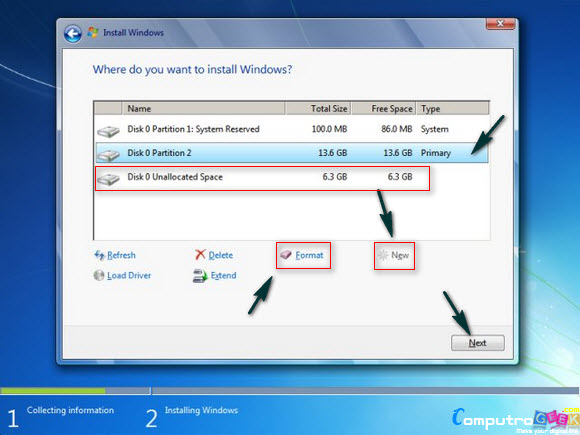
That screenshot is not mine though  credit goes to the owner.
^so, create two partition and install it on second one?
If there’s no partition on the HDD the installation will create and install on the whole space [ formatting it automatically + 100MB of rescue partition ]. It’s better to create your own NTFS partition using tools like parted magic prior to windows installtion and then install windows on any partition you desire.
This way you can even get rid off the 100mb rescue partition that windows creates. BTW, you can create two partitions and install windows on the first one.