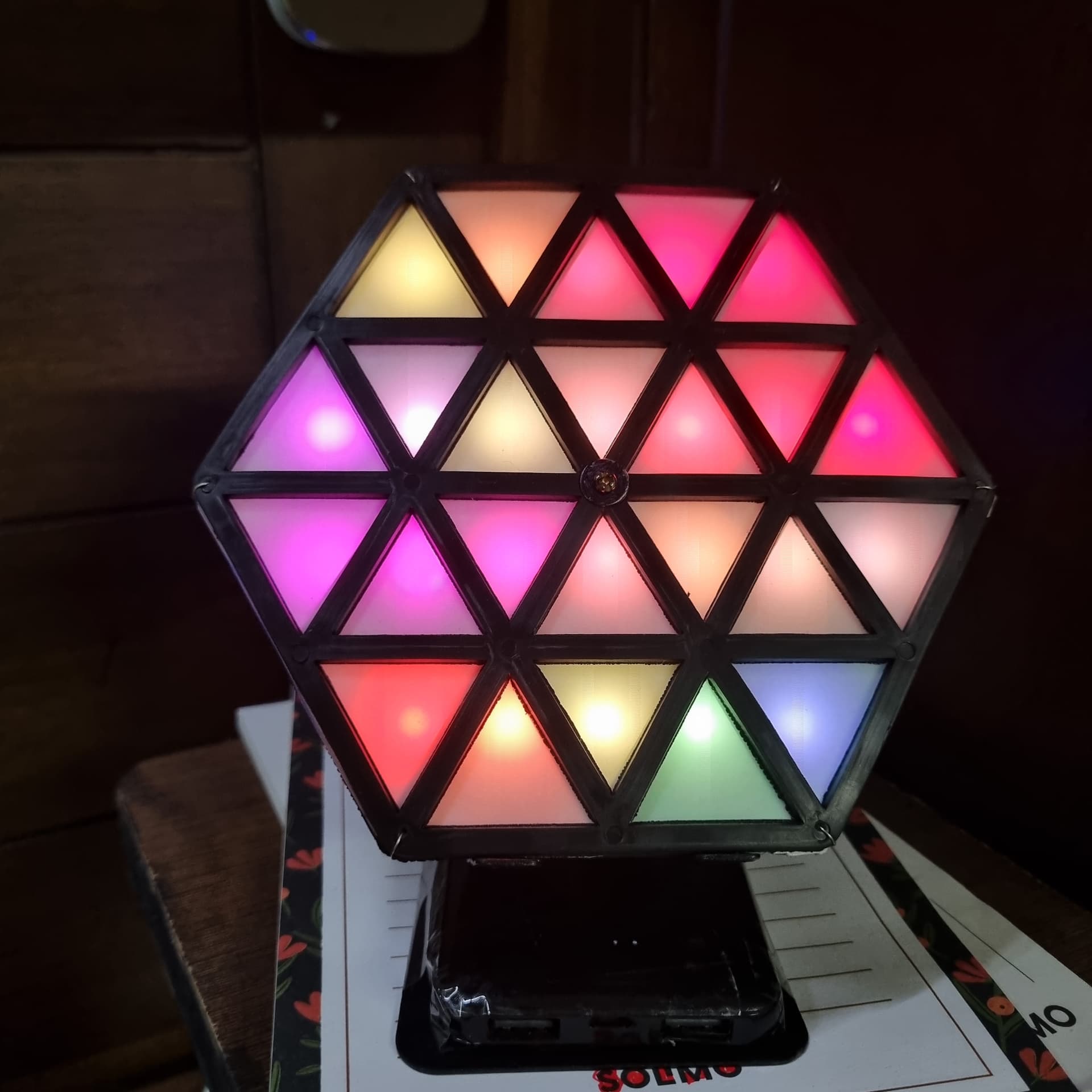
I made this fun project sometime back when I was feeling low and needed something funky on my desk. I wanted to share this project with you guys, Its quite simple and very low cost. Although 3D printing is pretty cheap these days I wanted to go the full DIY from things I had at home.
You can watch how it works here HexArt and also view more images for when I was still building this here HexArt_Folder
These are items I used for the project
60 Led/mtr ws2812 strip
Diffuser sheet from an old broken LCD
Nodemcu
Perf board
Plastic stand off’s
5000 mah power bank
Silicon mats from my dining table
A strong magnet and a piece of magnet tape
small little things like a screw and nut, some GI wire, wires, cable ties, cardboard
a few electronic parts - capacitor, resistor, LDR, switch
I used multiple silicon mats so that the depth will help with the diffusion. Also In the photos and video you can see the individual pixels but in reality, the diffusion was very good and I couldn’t see those pixels, perhaps my camera is bad.
The GI wire was tied at six corners of the silicon mats to hold them together tightly and not allow the light leakage into adjacent spaces.
The base is actually a mobile holder and the 5000 mah power bank I had fits perfectly at its base, using the power bank gives 2 advantages, first is the capacity and second I don’t have to bother with charging circuitry and battery protection, as you can see from the pics it also provides us to freely use the 2 USB ports on its front and use the micro usb to charge it
The project uses WLED which is installed onto the nodemcu using the link WLED , WLED is the simplest and most brilliant way to customize any addressable led project
I added a capacitor across the power terminals of the led strip to stabilize the power draw during the animations, and I have added a resistor in line for the DIN of the led strip.
After making this I wondered how it would look to have a much larger version of this hanging of the ceiling like a chandelier, perhaps that is an idea for a later day.
Anyone having access to a 3D printer can make this project look very professional
The method that I used is ugly and unreliable you would be much better off by uploading the video to youtube as unlisted and paste it’s link here, it will auto embedd.
The secret sauce to the ugly method. (which produces beautiful results, no youtube watermark)
I hotlinked your onedrive video link here but with slight modification. This only works with onedrive because they were not carefull enough.
Now paste this link in the following HTML template in discourse
  <source src="https://dl.dropbox.com/scl/fi/u984mqmxyjchcvwjr5pvh/NeoPixel_HexArt_Video.mp4?rlkey=tlh4kqagmnl97uj55ut1gx8tv&st=7kd7l2az" type="video/mp4">
      Your browser does not support the video tag.
  </video>
The video will be embedded.
Remember if you don’t open your one drive account for 1 year your data will be deleted and this HTML template will stop working.
There is hardly any service on the internet which allows you to host your video just as a MP4 file for free.