Post your Game Benchmarks!

I couldn’t find a similar thread.

Thought it would be a fun thread where members can post game benchmarks for their setups. Do include the settings, resolution used, along with any config details you deem fit. It may also help us gauge performance in different games with various configurations in real-world use. Post any game you want :slightly_smiling_face:

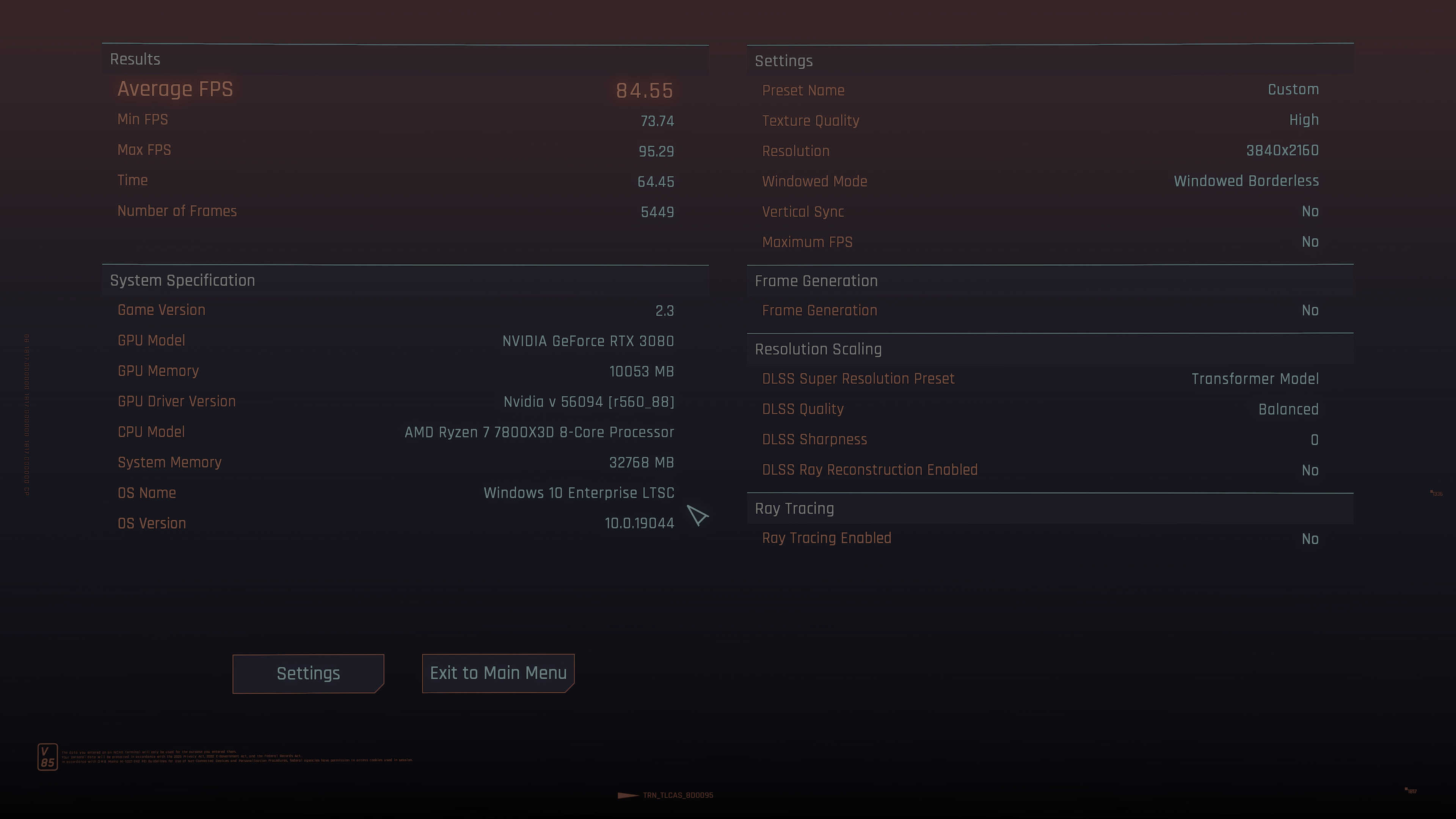
I’ll start with Cyberpunk 2077

Settings used - maxed out, Path tracing, DLSS Quality, no Frame Gen

GPU and CPU - 5070Ti/7800X3D

FPS - 27

Resolution - Ultrawide 4K

2 Likes

Ultrawide 4K ! DLDSR ?

Ultrawide 4k + 38’’ seems like perfect monitor size for me but will be tough to run.

I am playing mafia 3 at 4k 60fps right now. Game is buggy, always crashes on uncapping frame rate.

Cyberpunk 2077 4k dlss perf with path tracing is unplayable for me.

Probably VRAM hammering framerates but even without that it would be too slow.

Yes, UW 4K DLDSR :slightly_smiling_face:

My VRAM usage in the above scenario was 14.5 GB

1 Like

I get about 85 at 4k balanced with 3080/7800x3d. GPU running at 225w optimized profile.

This is with HUB optimized quality settings in HDR.

Also have some mods - reshade/CAS + renodx for fixing HDR + a texture mod Cyberpunk 2077 HD Reworked Project Ultra Quality.

No RT at all. It tanks framerate to 60 with just reflections on. Instead i get some vram back and then i can use a texture mod.

HDR looks very good with renodx but i haven’t played too much yet with it.

This is what i will use to do my 2nd playthrough later. Might need to reduce settings or use DLSS perf if there is a problem in heavier sections. Or not, can get 10% bump with 275w profile. May need to downgrade Texture mod too, hopefully not.

Haven’t played dlc, will play whole thing again and should be fun since they revamped combat.


This looks like a nice idea. We can use thread to share settings used for current game.

1 Like

This actually a brilliant result, all things considered!

yeah, i always use optimized settings these days to get higher framerates.

Plus also use 225w gpu profile generally. But for this game i might bump it to 275w and get ~10%+ more. I really want to keep things at 90+ atleast on average.

But currently playing mafia 3 at 60 locked. Quite fun game, but has issues.

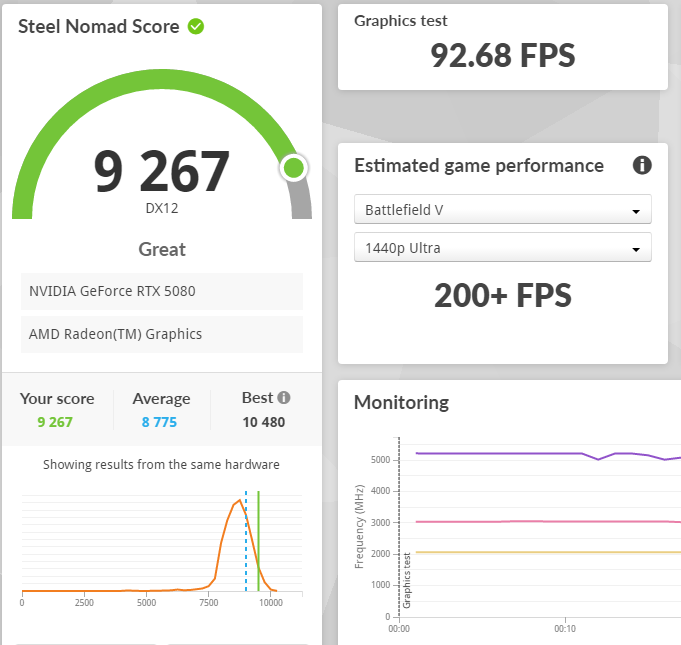
CPU - 9800X3D stock freq with -20 offset
GPU - 5080FE
RAM - 2x 16GB DDR5 6000MHz CL30

Can use Steel Nomad for GPU benchmarking. Have the stock numbers as well.

I have a small OC along with the UV, overall power draw is lower than stock for gaming by 30W or more, which was my target as I want to be within 650W load that my UPS can handle.

Stock score was 8597

Current UV+OC - 1015 mV, 3217 MHz core & +1500MHz Memory (almost 8% boost)

1 Like

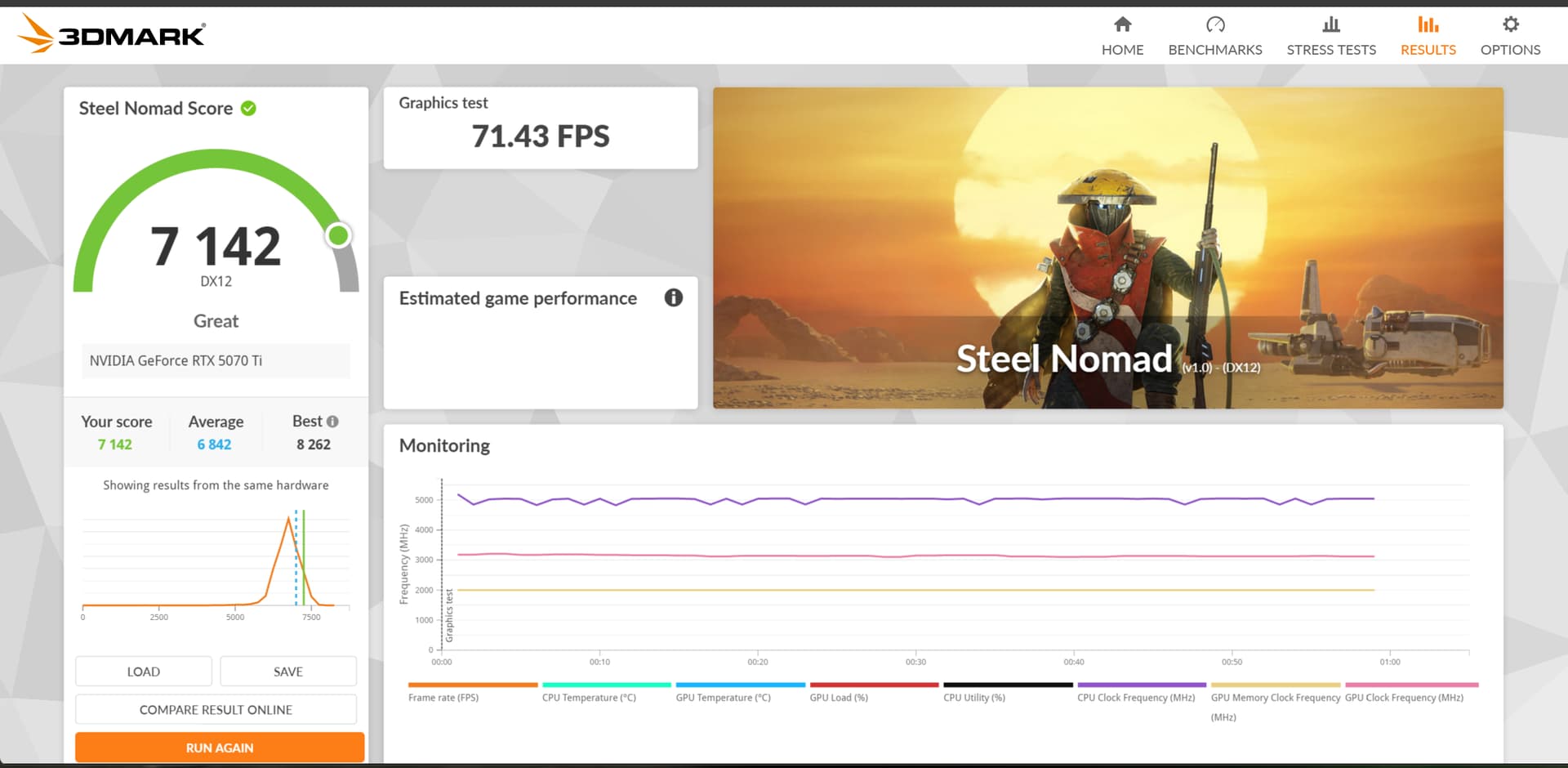
Here’s mine:

CPU - 7800X3D

GPU - 5070Ti

RAM - 2x 16GB DDR5 6000MHz CL30

Mine is overclocked as far as it can go. Effective clock speeds during the test: 3210 MHz. Also +2000 on the memory

Managed to touch 7214, around 19% lower than your stock score 8597. Not bad.

How about we try Port Royal and TimeSpy?

Gap seems high for some reason in Steel Nomad as 5080 at stock is supposed to be just 15% faster in games. Game benchmarks might be better, will post some Black Myth numbers at 1440p 16:9 (from benchmark tool, maybe use the maxed out cinematic preset).

Will take some Port Royal & Time Spy numbers as well.

1 Like

What reso is this?

Steel Nomad is not monitor resolution dependent, it is 4K by default I think.

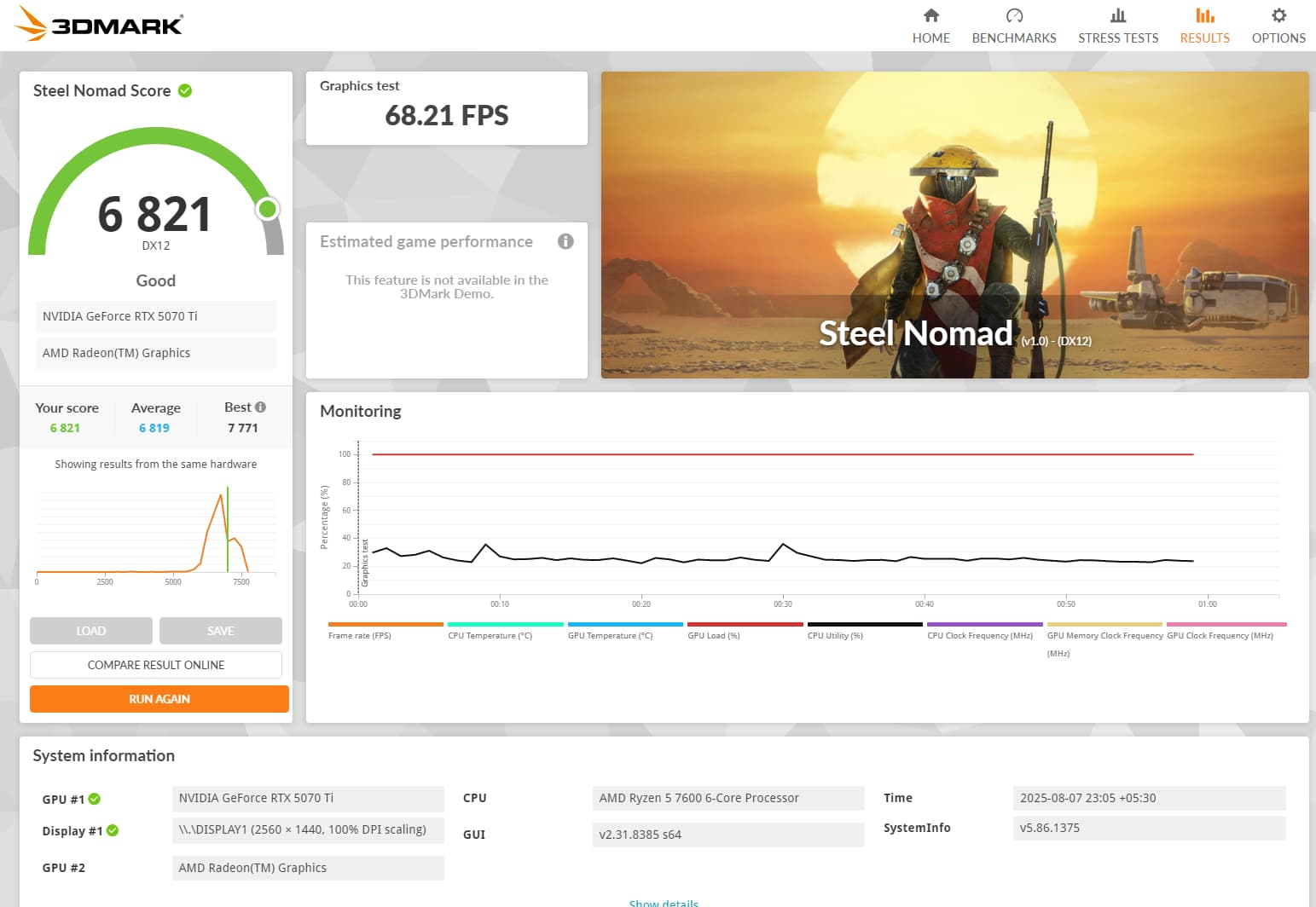
heres mine with
Ryzen 7600
RTX 5070ti
16GBx2
everything clocked at default,except for RAM

1 Like

Will wait for these :poop:

@el_diablo and @presdoge can also post

Incidentally I am currently playing black myth wukong and am currently on NG++, will post my benchmarks soon.

1 Like

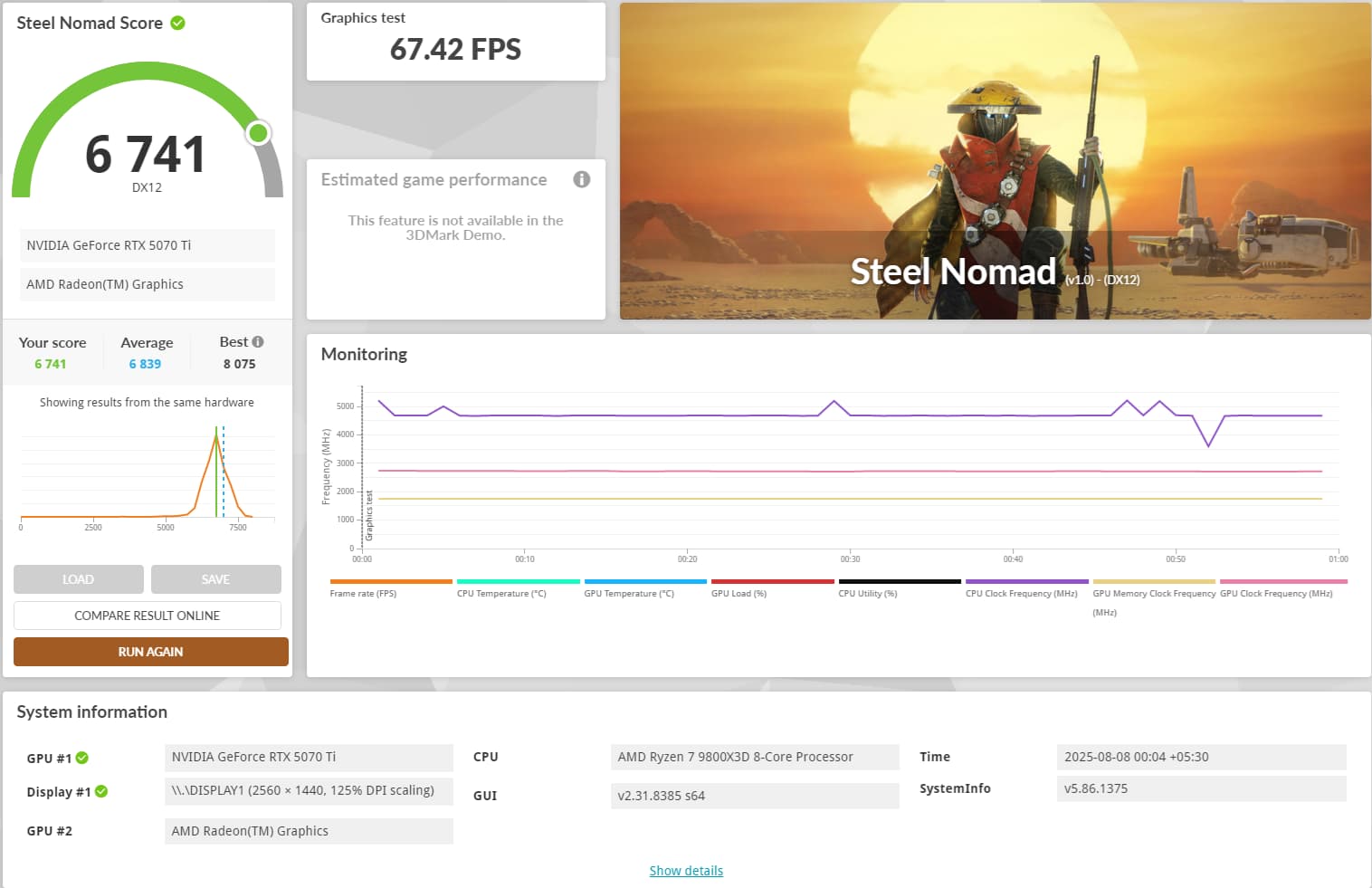
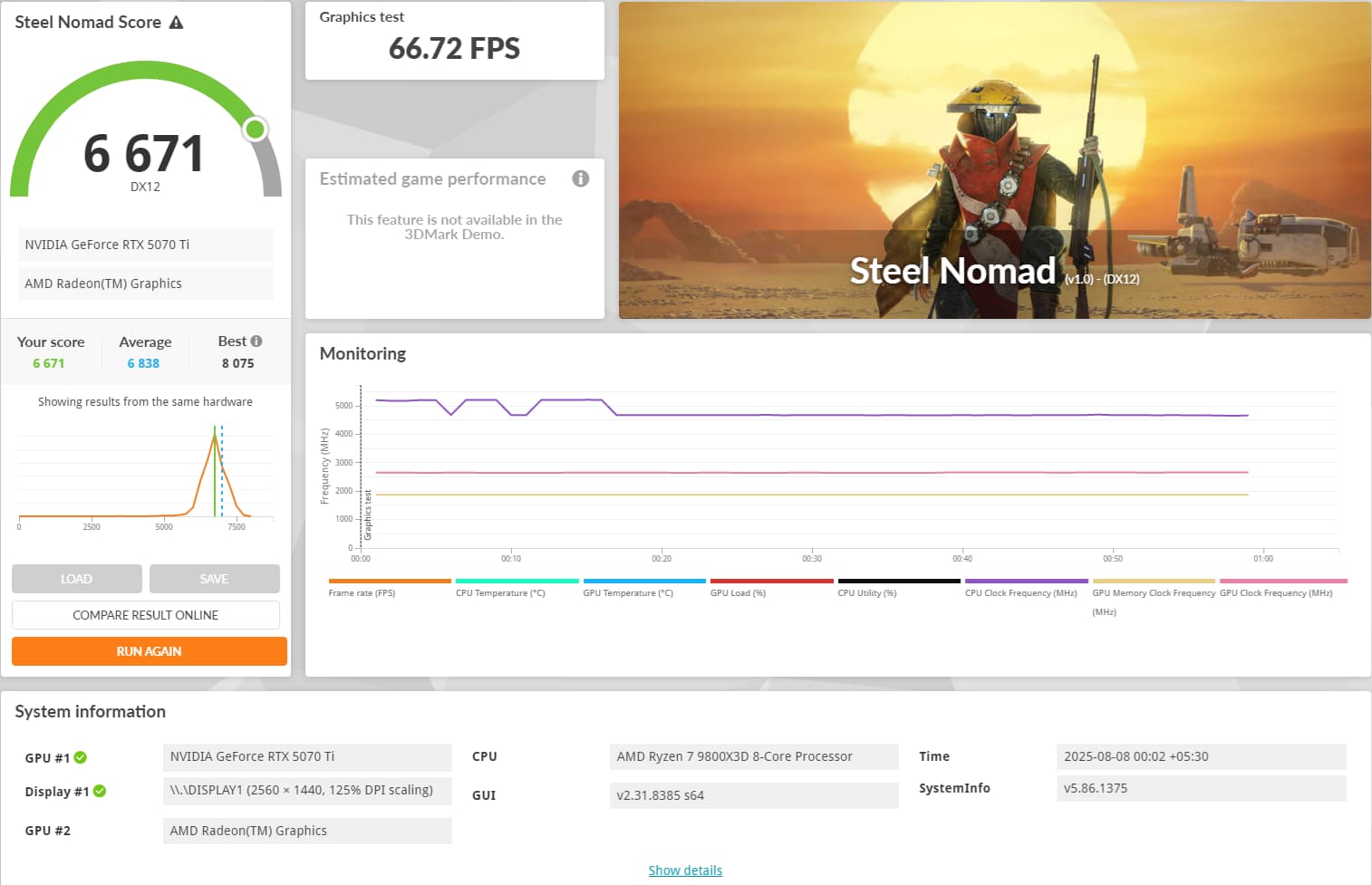
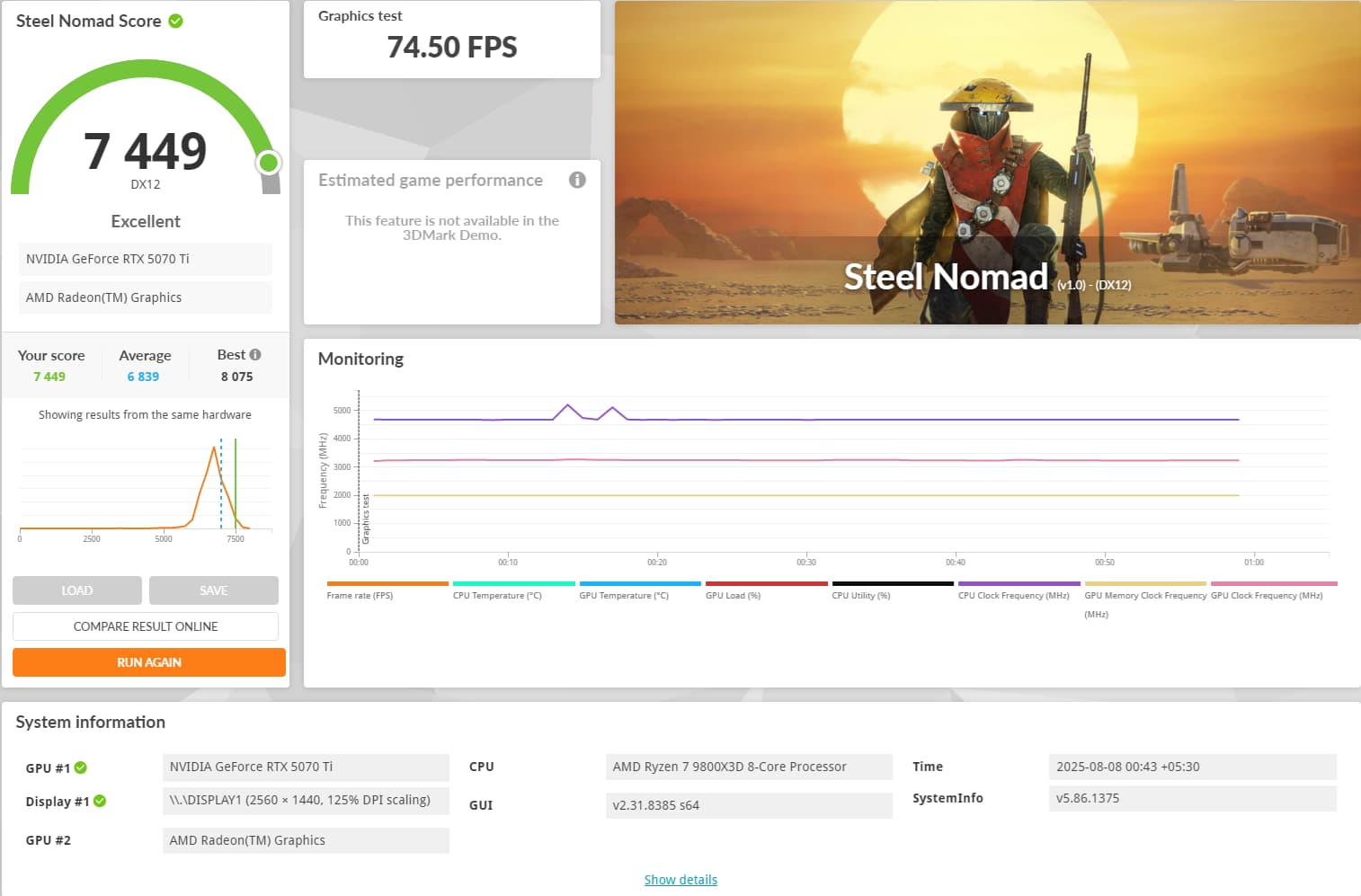
These are my steel nomad scores: default | UV(850mV@2700MHz, +1000 mem OC) | OC (+500 gpu(3240 MHz), +2000 mem)

1 Like

Lovely OC score! 5070Tis overclock pretty well.

1 Like

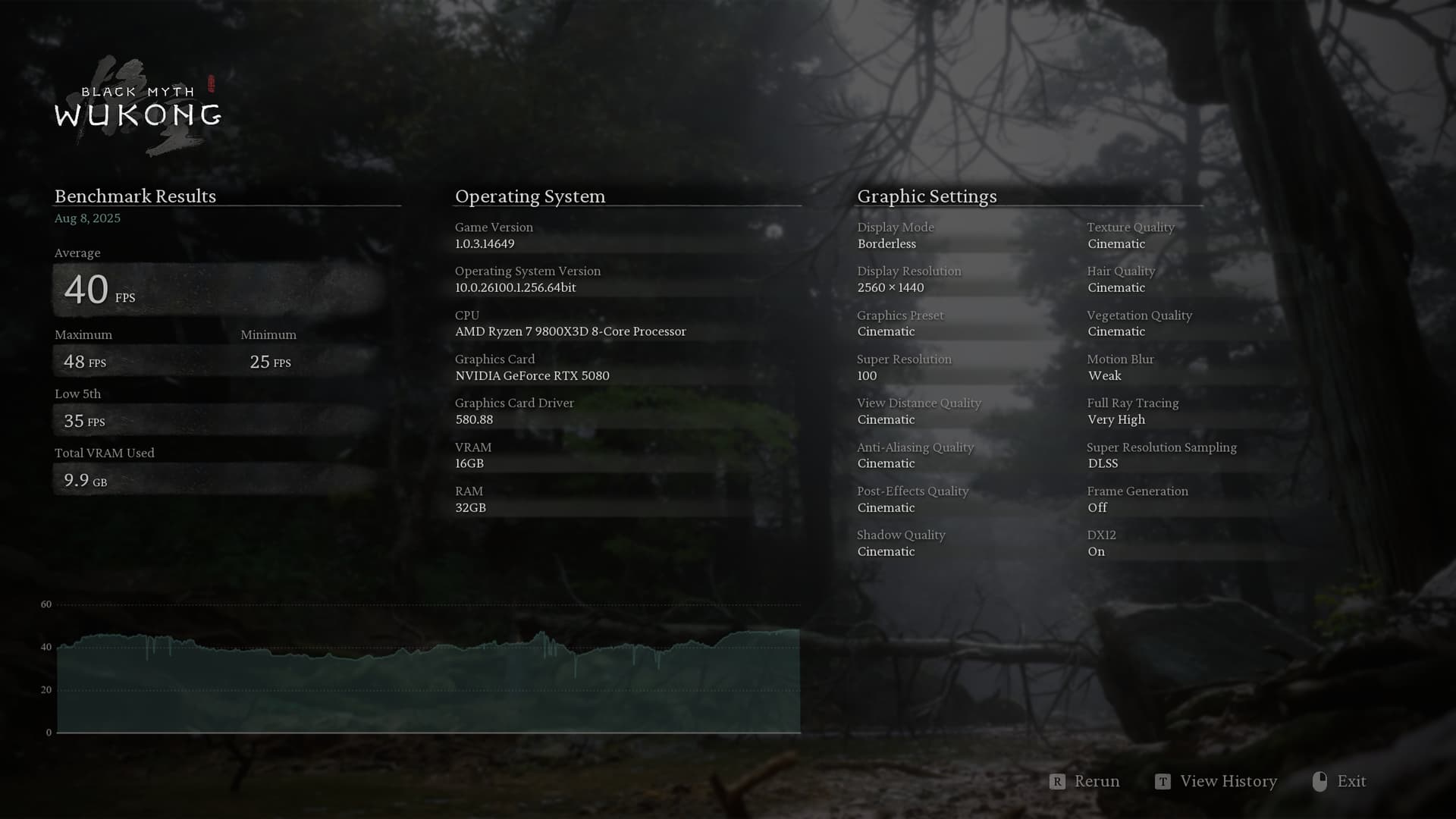
Wukong - 1440p Cinematic with DLAA (100% supersampling with DLSS AA) with very high raytracing

Current UV+OC - 1015 mV, 3217 MHz core & +1500MHz Memory

On a separate note, this game has too much noise issues with RT. Except for Spiderman 2, honestly I still don’t care much about RT.

1 Like

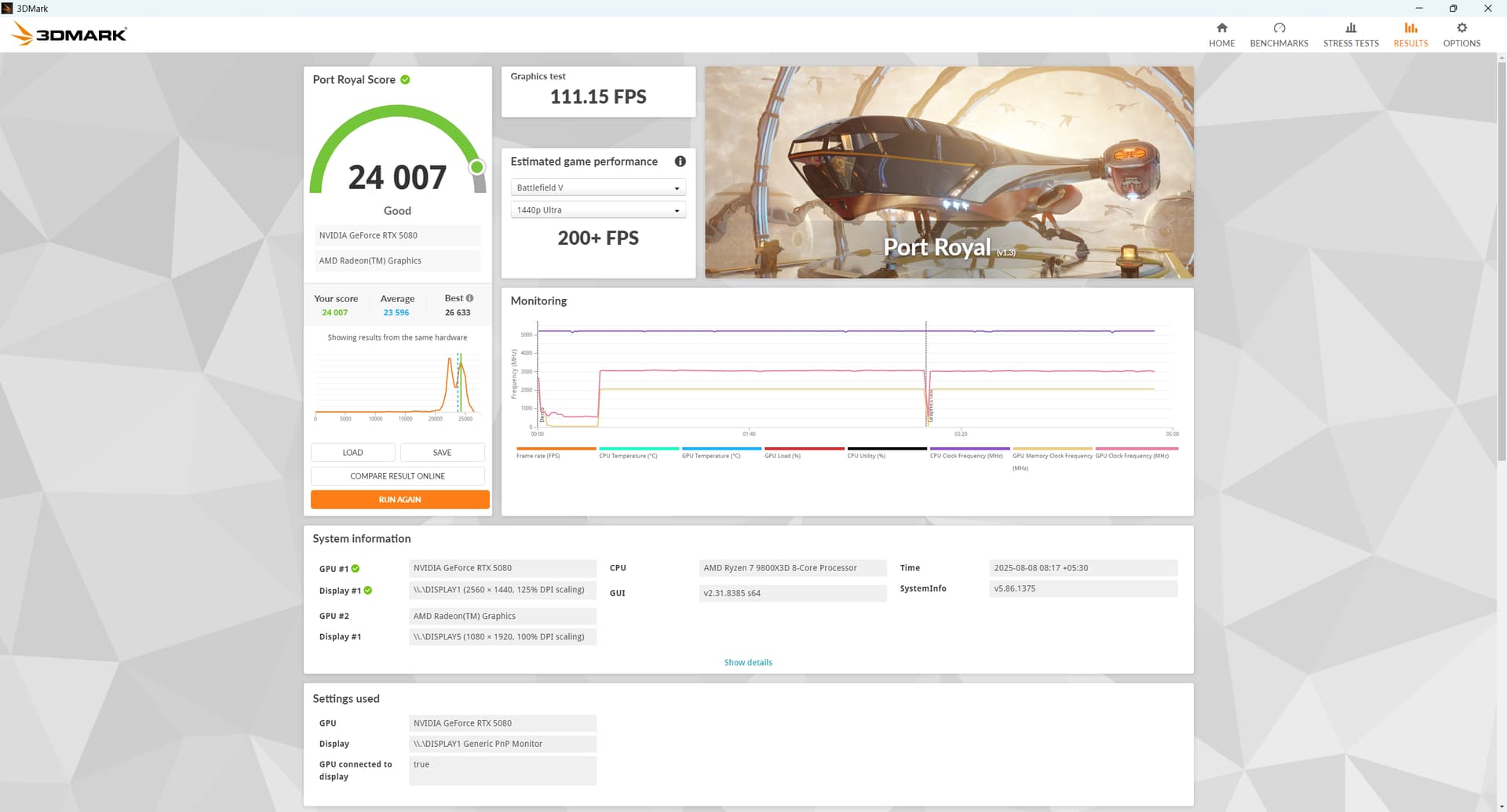
Port Royale

Current UV+OC - 1015 mV, 3217 MHz core & +1500MHz Memory

1 Like

@OMEGA44-XT I think you Wukong benchmark is bugged

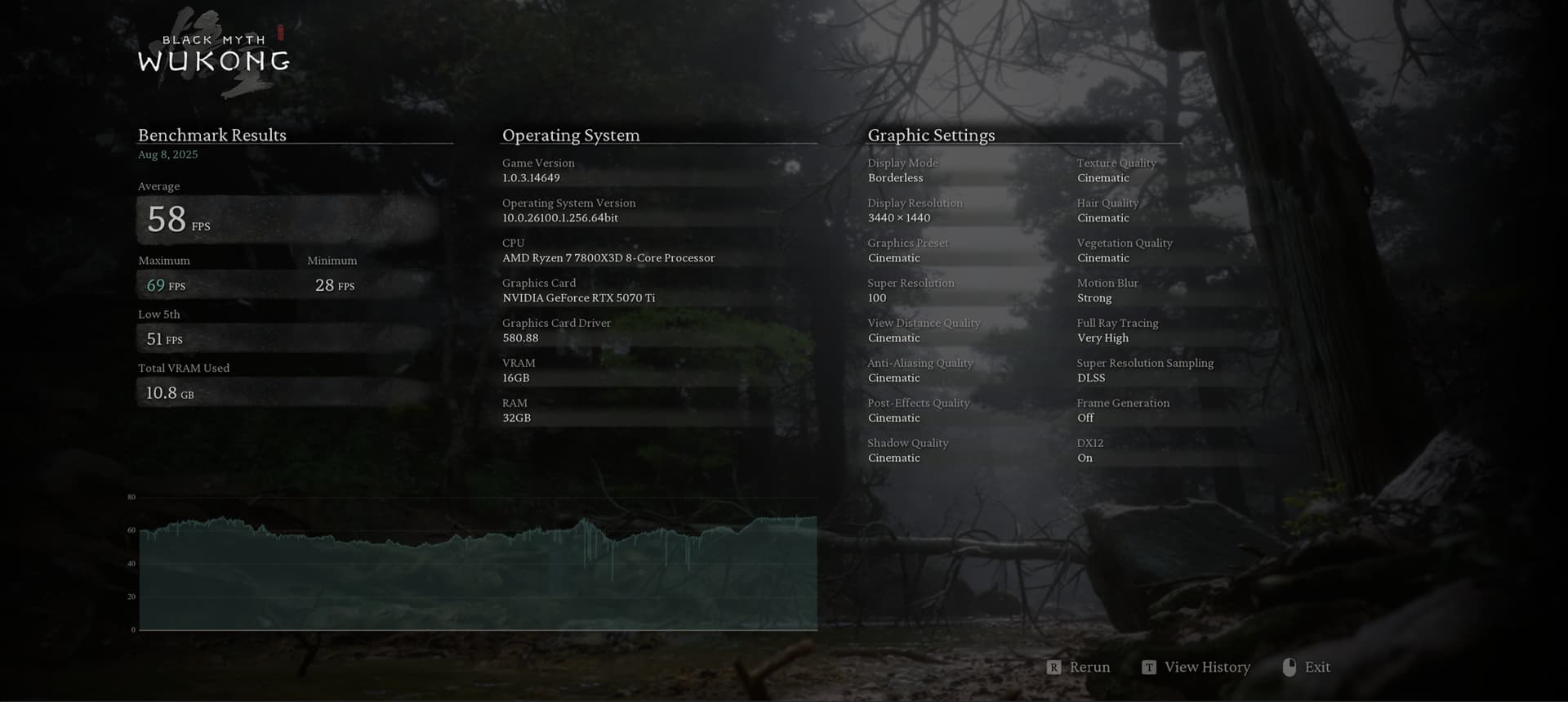
Here’s mine with UW 1440P (3440x1440), using the same settings

Effective clock speeds during the test: 3210 MHz. Also +2000 on the memory

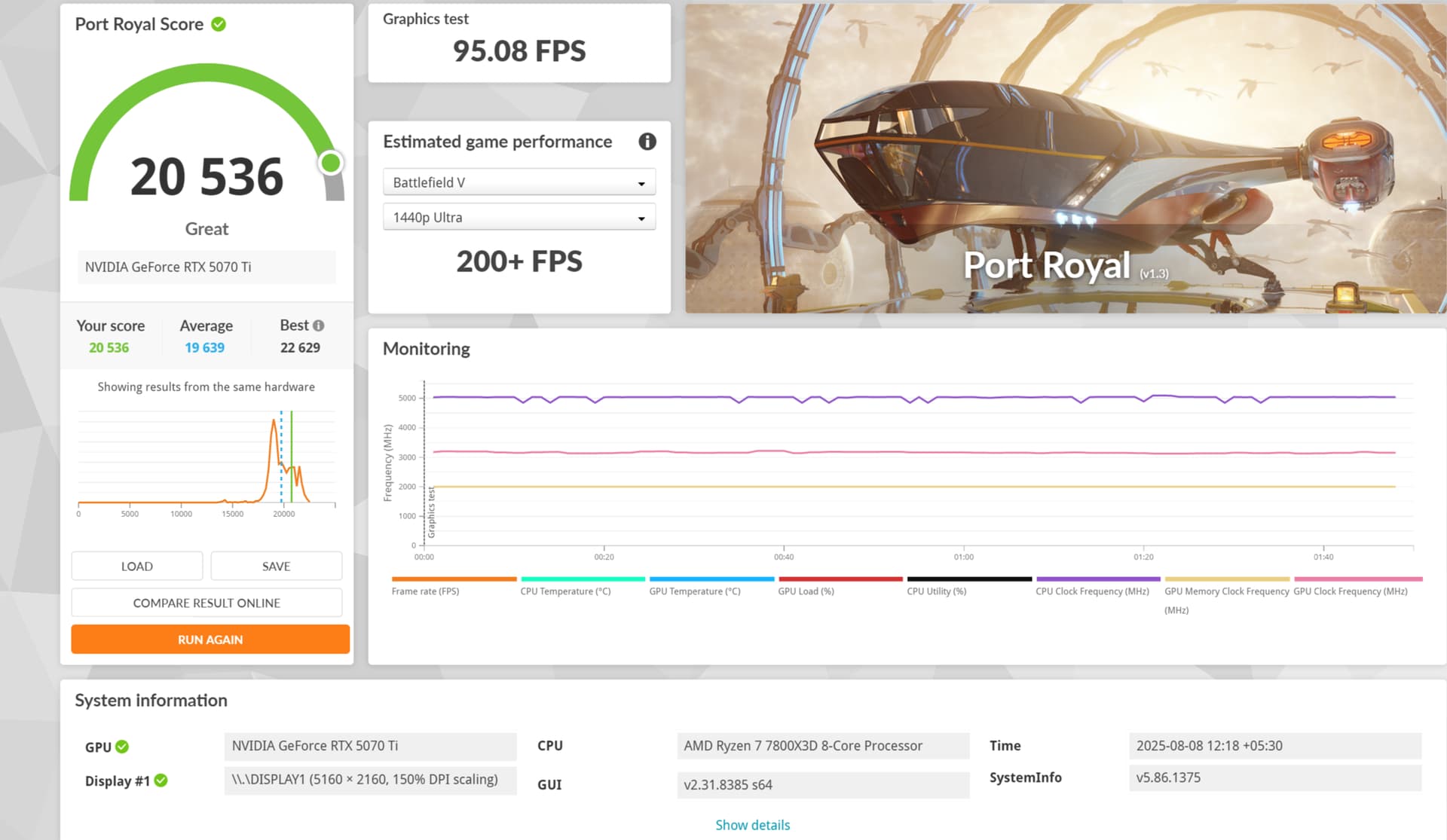
Port Royale:

17% slower vs your OC’d 5080. Not bad.

1 Like

My results are more in line with @OMEGA44-XT . I got 31 FPS on 1440p on my 5070 Ti in BMW with default clock speeds.