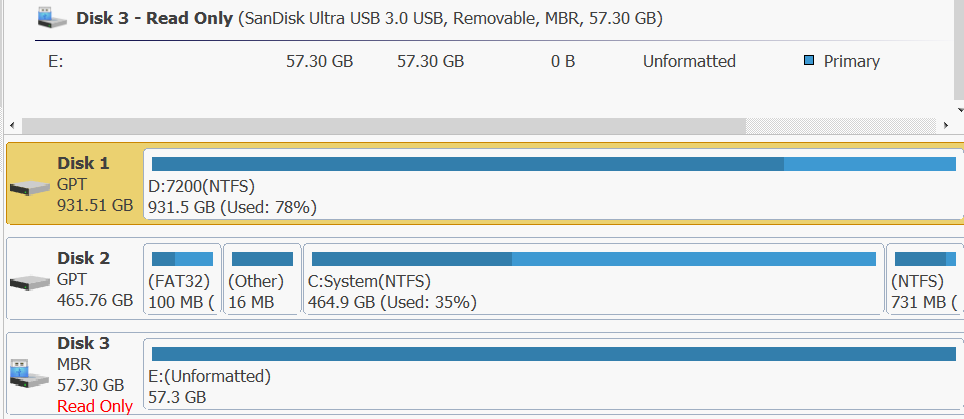
As as topic says, I have a 64GB Kingston Traveller pendrive which got stuck into read only mode while trying to install proxmox installer using balenaEtcher. I am unable to format it either through GUI, diskpart (I/O error), Disk Genius, HDDGuru LLF tool or even using linux tools like hdparm or parted.
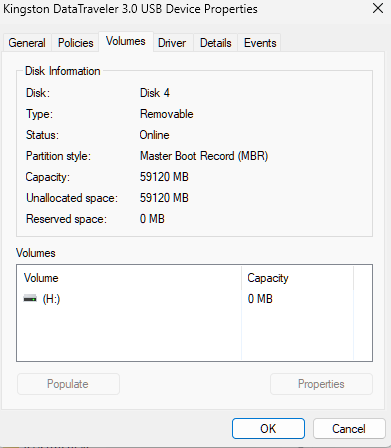
The drive shows up in device manager and even in file explorer. Disk Management shows the pendrive as 57 GB, it shows up in diskpart at 58 GB, and in linux as 61.9 GB. It even shows up in properties → Volumes (after populating) as shown in the image below:
Your USB drive may be in read-only mode due to a physical lock switch, file system corruption or incorrect permissions. Check if there is a physical lock switch.
A common myth, depending on environment conditions such a “safely” kept usb drive can also suffer internal physical damage.
Leaving aside the above, pen drives are not really known for their reliability & it is not unusual to see such failures. Best case scenario, your pen drive locked itself to read only mode to prevent further damage & there is still some hope of recovery. Worst case scenario, it is gone permanently.
Same situation , Stuck when was cancelling formatting the drive in MacOS . Stuck in read only . Windows also shows as read only . No 3rd party tools have been able to format
Yeah, loads of such stories online. Given how much I tinker with systems, this is not reliable or viable. Ventoy on a ssd is the way forward for me now.
@kuduku I also have a Kingston drive in a similar condition which was being formatted in mac . Now it shows as read only and windows keep asking to format the same but gives error.
Tried reformatting in Mac also. Doesn’t work