I have a old discarded WD 120GB SSD which was from 2019. It was in use for likely 3-4 years and as it showed signs of slowness, it was kept as a temporary drive incase I need it. It was kept in storage for like 1.5-2 years.
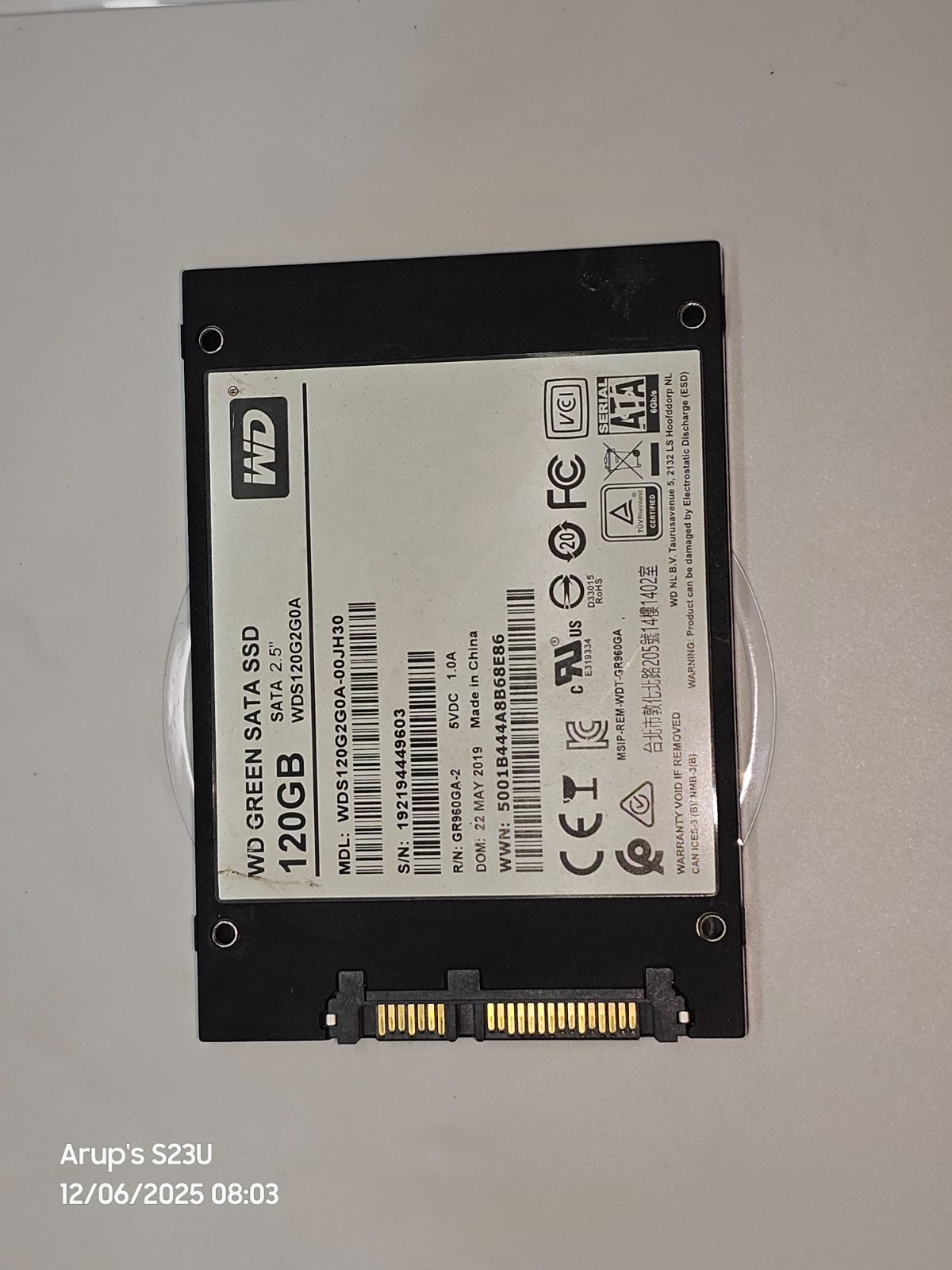
Yesterday I connected it to a secondary desktop to try out the performance of a new O.S. , and the BIOS splash screen looked like it is stuck forever. Then I found out this SSD is no longer working.
This morning, I connected it to my main PC for diagnosis through a USB-SATA adapter, and found the following information.
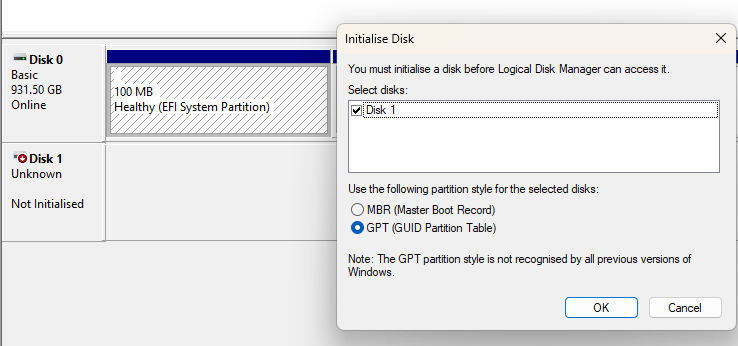
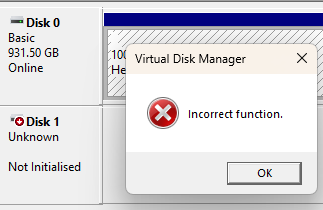
Disk Manager is unable to initialize drive

WD Drive utilities is unable to recognize the SSD
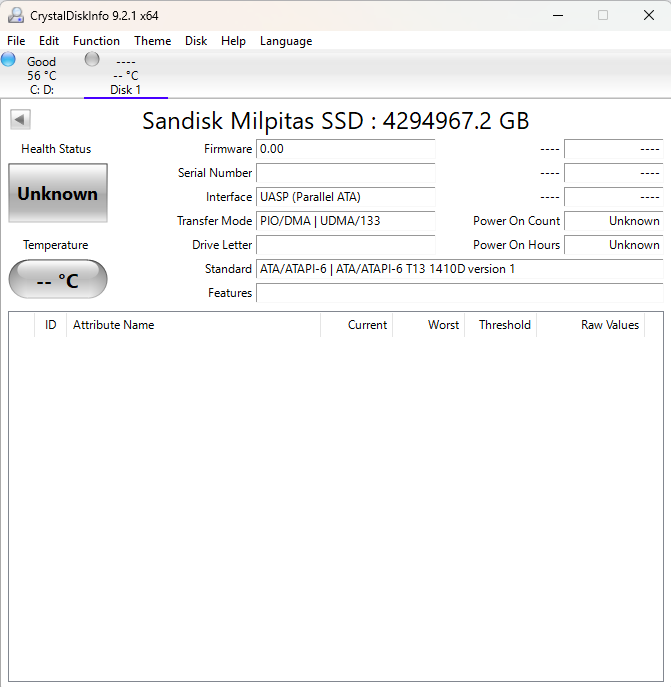
CDI is interpreting it as some SanDisk SSD with 4 petabyte capacity. SMART data is not populated.
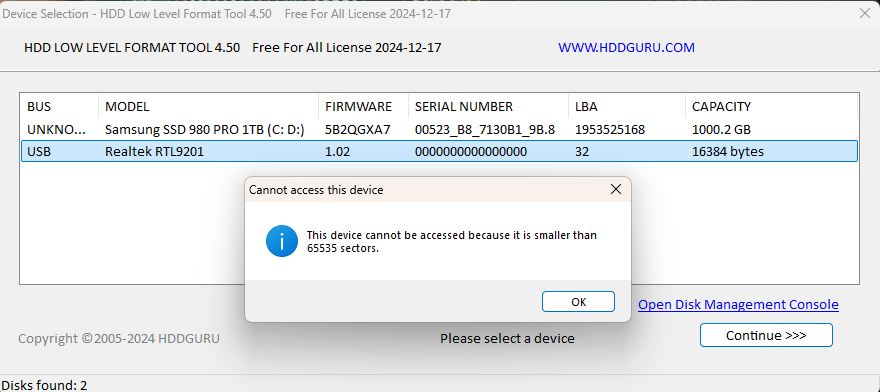
Low level format tool is recognizing it as 16kB drive and not allowing to perform a zero fill.
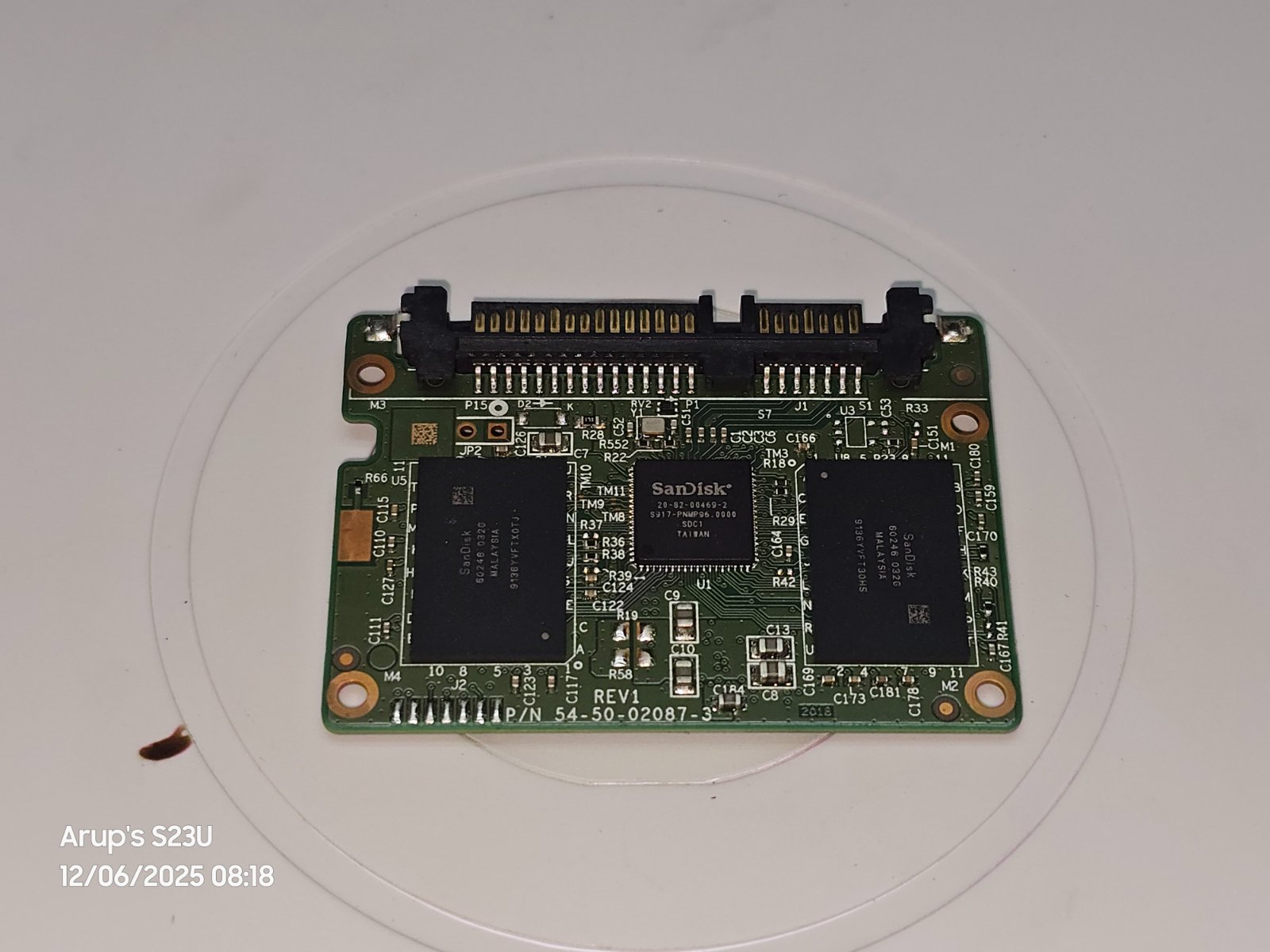
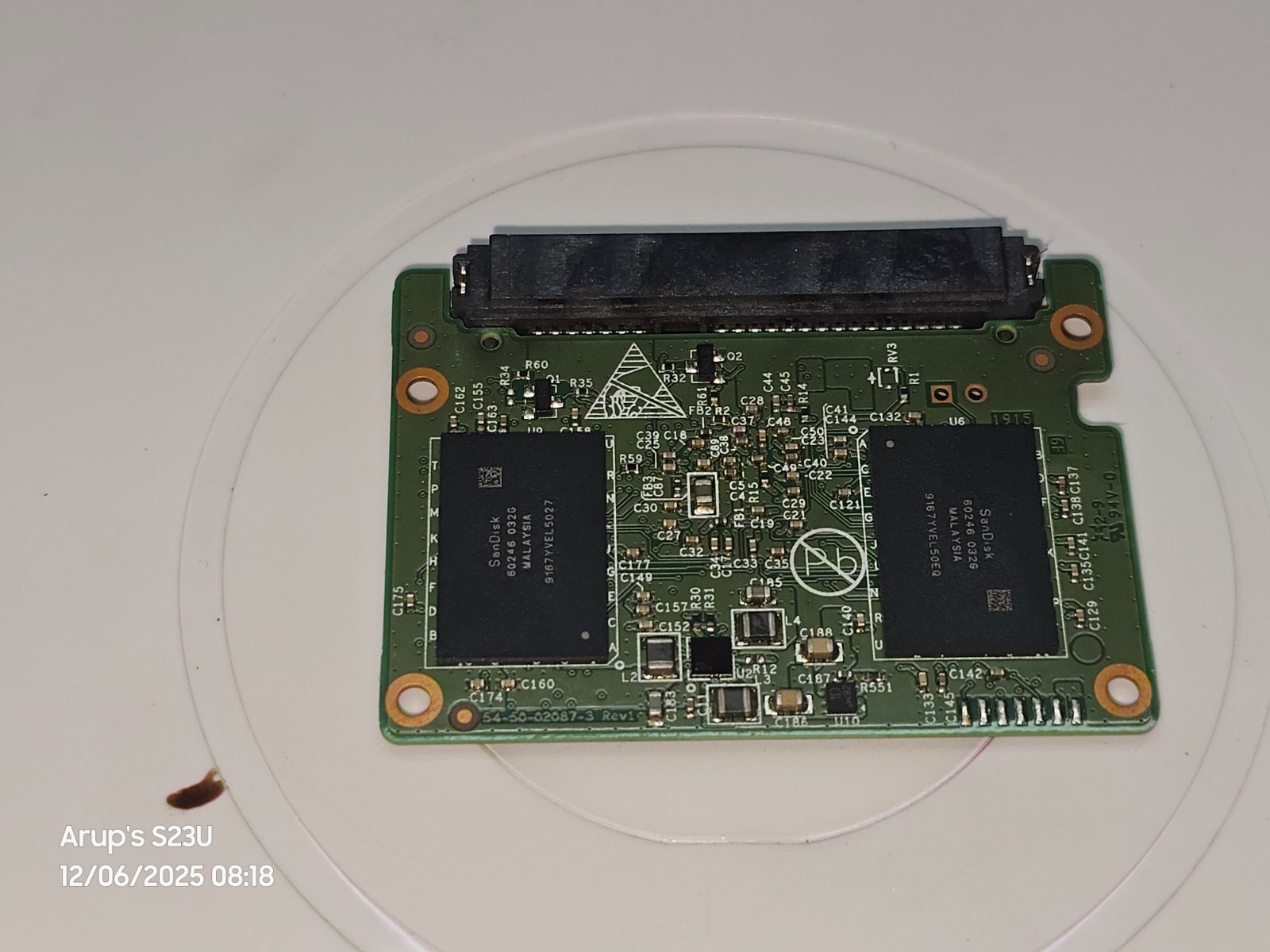
Upon opening the drive, there are 4 nos of 32GB SanDisk Flash and one SanDisk controller alongwth a bunch of SMD parts.
I checked all capacitors with multimeter for shorts because I heard that these MLCC capacitors tend to be shorted and removing/replacing them makes the SSD alive again. But, I found no shorted caps.
The VRM is also working, I got readings of 1.26V, 1.83V alongside 5.02V across the big capacitors.
What to check now?
My goal is not data recovery. My goal is to make it work again if possible even at low performance or reduced capacity.